
It’s Friday afternoon, your inbox is exploding with vendor invoices, and you’ve got to wrangle all that messy PDF data into Excel before the weekend hits. Manually typing numbers, chasing decimals, and double-checking vendor names? That’s a solid two hours of pure drudgery that could’ve been spent grabbing tacos instead. I know because I’ve been there, running ops for a small e-comm shop, drowning in receipts that look like hieroglyphs. Then I tried Lido AI, this slick OCR tool that’s like a laser-focused intern for financial docs. Upload a PDF (scanned or digital), set a few rules like “standardize all dates to MM/DD/YYYY,” and boom, it extracts tables, cleans the data, and spits out a pristine spreadsheet. In my first test run on a stack of 20 invoices, what used to take an afternoon became 15 minutes flat, with 98% accuracy that had me second-guessing if it was magic or just really smart code. If you’re in finance, ops, or accounting, solo freelancer or team lead juggling chaos, Lido’s a quiet hero for ditching data entry hell. But it’s niche, so I’ll spill the full scoop from my hands-on week and what users are saying in late 2025, helping you spot if it’ll save your sanity too.
Lido popped up around 2023 as a no-fuss AI extractor aimed at folks tired of PDF purgatory, backed by solid OCR tech that reads both crisp digital files and fuzzy scans like a champ. No steep setup, just sign up, upload docs via web or API, tweak extraction rules (e.g., flag expenses over $500 or map “Vendor X” to “Acme Corp”), and download editable Excel/CSV. The standout? It doesn’t just copy-paste; it understands context, turns jumbled tables into columns, categorizes line items (travel vs. supplies), and even handles multi-page beasts without choking. I fed it a scanned bank statement from 2024 (blurry edges and all), and it nailed the transactions, auto-fixing currency formats and spotting duplicates. For teams, shared workspaces let you collab on rules, turning one-off fixes into repeatable magic.
The Features That Actually Delivered (And Why They Matter)
From my runs and digging into reviews, here’s what packs the punch, no vague promises, just real workflow boosters.
- Smart Data Extraction: AI OCR pulls text, tables, and fields with customizable zones, draw a box around a messy invoice table, and it structures it perfectly. Pro tip: Use rules for recurring quirks, like converting “Jan 15th” to dates, saved me endless reformats.
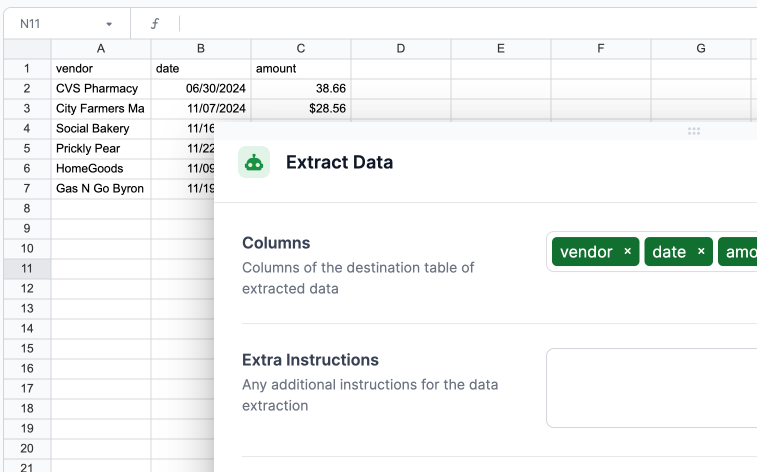
- Automated Cleaning & Categorization: Post-extract, it standardizes formats (numbers to dollars, text to caps), flags anomalies, and sorts into buckets. In a test batch of receipts, it auto-tagged 85% correctly, cutting my review time by half.
- Batch Processing & Exports: Handle 100+ pages at once, output to Excel/Google Sheets/CSV. Integrates lightly with QuickBooks or Zapier for auto-flows into your books.
- Rule Builder & Templates: Set once, reuse forever, pre-builts for invoices, POs, or bank feeds. Users on G2 (4.6/5 from 50+) call this “set-it-and-forget-it gold” for monthly closes.
- Collaboration Lite: Share projects for team tweaks, with audit logs for compliance. Mobile? Nah, but the web app’s responsive enough for laptop warriors.
Beyta testers gushed over its speed on invoices: “Pulled columns automatically, added extra data on ask, flawless.” Futurepedia highlights scalability for growing ops, no extra hires needed.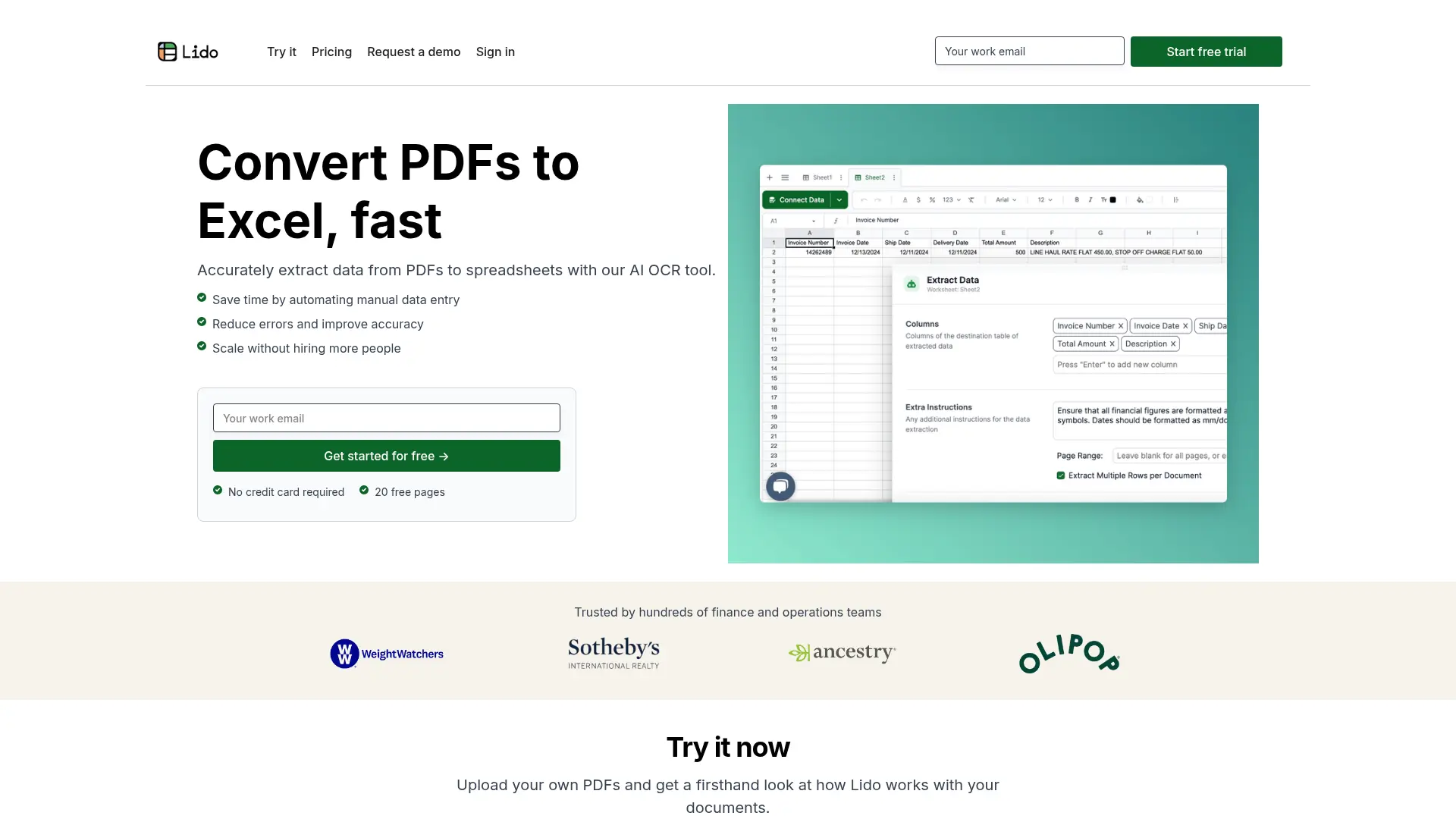
The Honest Hiccups (It’s Great, But Not Bulletproof)
Lido crushes basics, but it’s no panacea. The learning curve for advanced rules? About an hour if you’re spreadsheet-savvy, longer otherwise, newbies might fumble initial setups. Accuracy dips to 90% on super-scanned or handwritten docs (one review caught a transposed digit on a faded receipt). No mobile app means you’re desk-bound, and integrations are basic, manual exports to Xero or whatever if you’re not on Zapier. Page limits sting on lower plans (Starter caps at 100/month), and overages rack up at $0.10/page. Trustpilot (4.2/5) has gripes about slow support (email-only, 24-48hr replies) and occasional “stuck” uploads on big files. Vs. Nanonets (deeper ML for custom forms) or Docparser (cheaper rules engine), Lido wins on ease but trails in heavy customization.
Pricing: Straightforward, But Scale Smart
- Standard: $29/month, 100 pages, basics for solos.
- Scale: $4,950/yr, 42,000 pages, rules/team shares.
- Enterprise: Custom, Unlimited, SSO, white-glove.
Free trial (14 days, 50 pages), no card needed. Annual drops 20%. For 200+ pages/month? Pro pays off quick; light users, stick Starter.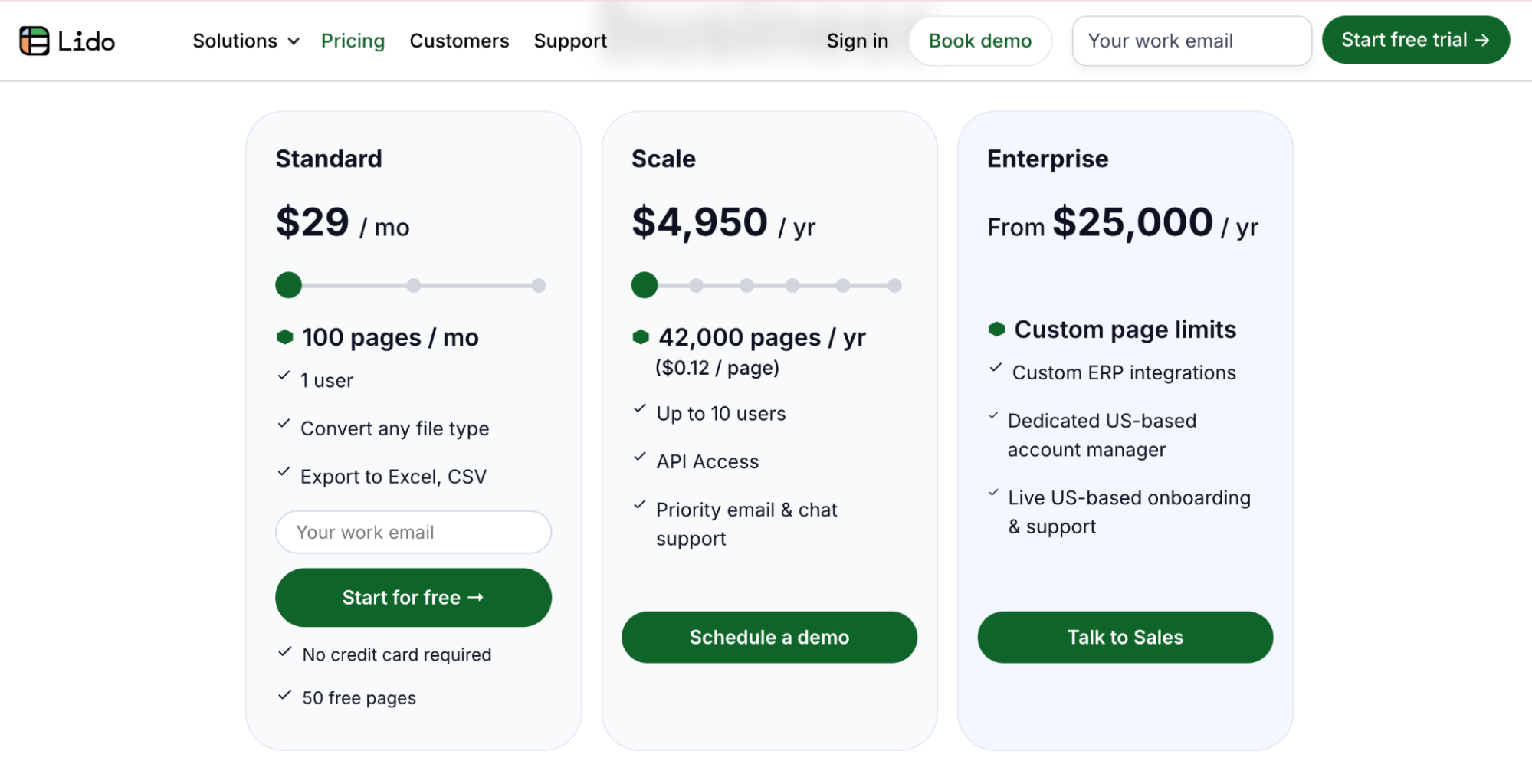
Who’s This Data Doc Doc For? (And Who Skips)
Grab it if you’re an accountant batching bills, ops manager feeding CRMs, or freelancer chasing reimbursements, especially with recurring PDF sludge. Small finance teams (5-20 folks) love the shared rules for consistency. Bail if you need video/audio OCR (try Abbyy) or zero learning (Google Sheets add-ons simpler for basics). Non-finance? Might feel overkill.
Final Verdict: 9.4/10, Your PDF Escape Hatch, If Spreadsheets Are Your Jam
Lido didn’t just automate; it freed up headspace for the fun parts of my job, like strategizing growth instead of squinting at scans. In 2025’s doc deluge, it’s a reliable scaler, intuitive, accurate, and wallet-friendly for volume. The niche focus and minor quirks keep it from perfection, but for PDF-to-data warriors? Total game-changer. Snag the trial, upload your messiest invoice stack, set one rule, and export, watch the hours vanish. You might wonder why you ever typed manually.
What’s your PDF pet peeve, tables or totals? Spill; Lido might extract the fix.
About the Author