
I’ve been dabbling in automation for years, Zapier for simple zaps, Make for fancier stuff, but when AI entered the chat, everything felt clunky. Adding ChatGPT meant jumping tools, copying data, and praying it didn’t break. Then I discovered Gumloop, this fresh no-code platform that’s all about weaving AI right into your workflows from the ground up. Founded in 2023, it’s like a visual canvas where you drag “nodes” to scrape sites, extract data with AI, generate content, or enrich leads, all without writing a line of code. After a solid month testing flows for marketing tasks (like pulling competitor keywords and outlining blog posts), I’m hooked on how it turns “impossible without a dev” into “done before lunch.” If you’re a marketer scraping for insights, a freelancer automating client reports, or a small team tired of tool-hopping, Gumloop could shave hours off your week. But heads up, there’s a learning curve, and credits add up. Here’s my take, backed by real runs and what users are saying in late 2025.
At its core, Gumloop lets you build “flows” by connecting nodes on a drag-and-drop canvas. Nodes handle everything: Trigger from Google Sheets, scrape a site with the Chrome extension, feed to Claude or GPT for analysis, loop through lists, then output to Slack or email.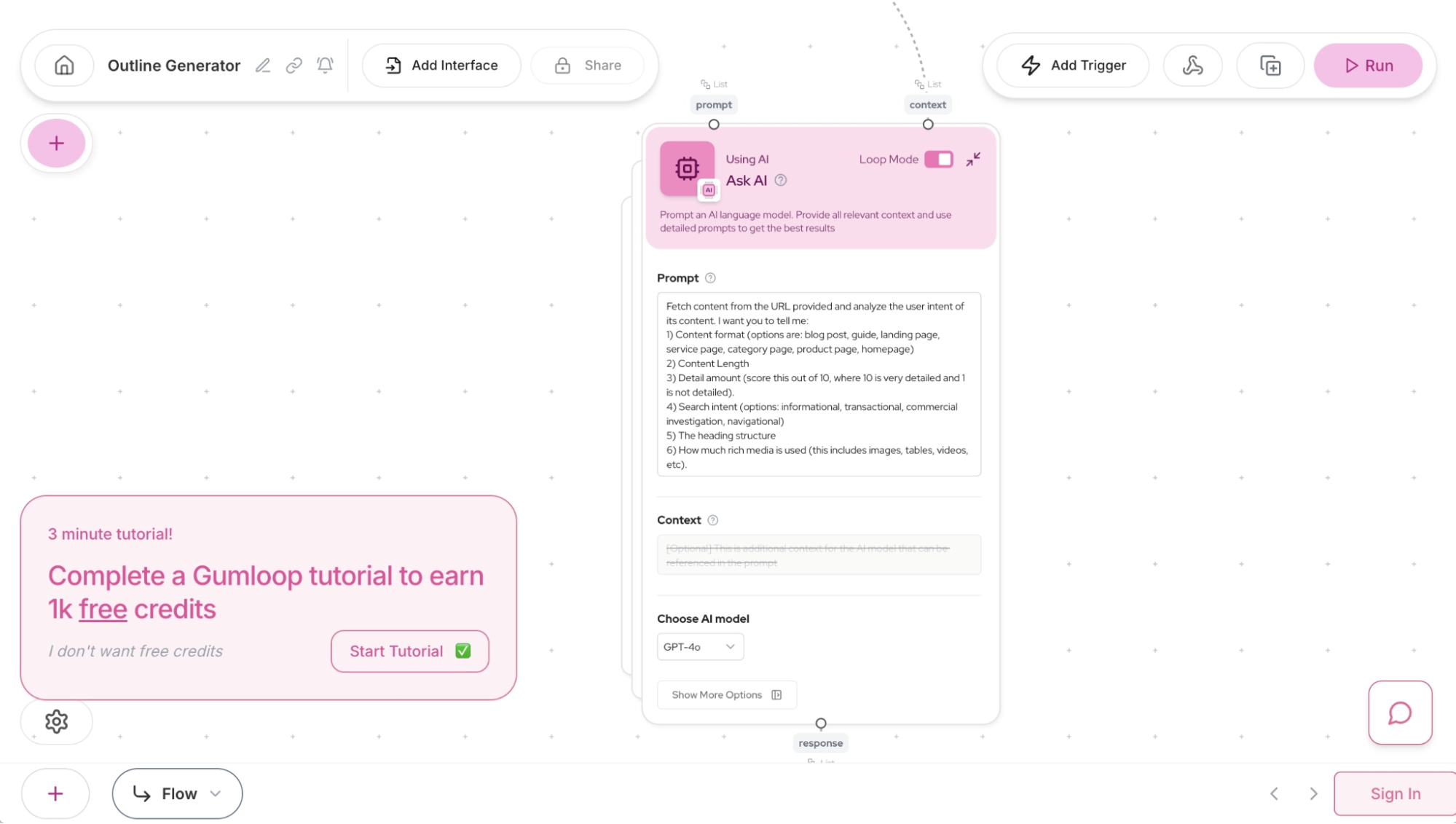
 One of my first wins? A flow that takes a keyword, searches Google, scrapes top results, and uses AI to build a better outline than the competitors. Ran it on “best running shoes 2025″—got structured ideas with stats pulled automatically. No more manual copy-paste.
The Bits That Make Gumloop Shine
- Visual Node Builder: Super intuitive once you get the hang, drag nodes, connect outputs to inputs, watch data flow. Subflows keep things organized, loops handle batches like personalizing 100 emails.

- AI Everywhere: Nodes for extraction, categorization, sentiment, switch models easily. Gummie (their AI helper) builds or debugs flows from plain English prompts.
- Chrome Extension Magic: Record browser actions for scraping logged-in sites or multi-step tasks. Huge for leads or research.
- Templates & Interfaces: Jumpstart with pre-builts for SEO, leads, or docs. Turn flows into shareable forms (like a YouTube summarizer app).
- Integrations & Custom Nodes: Google tools, Slack, CRMs, plus AI-built custom nodes for missing stuff.
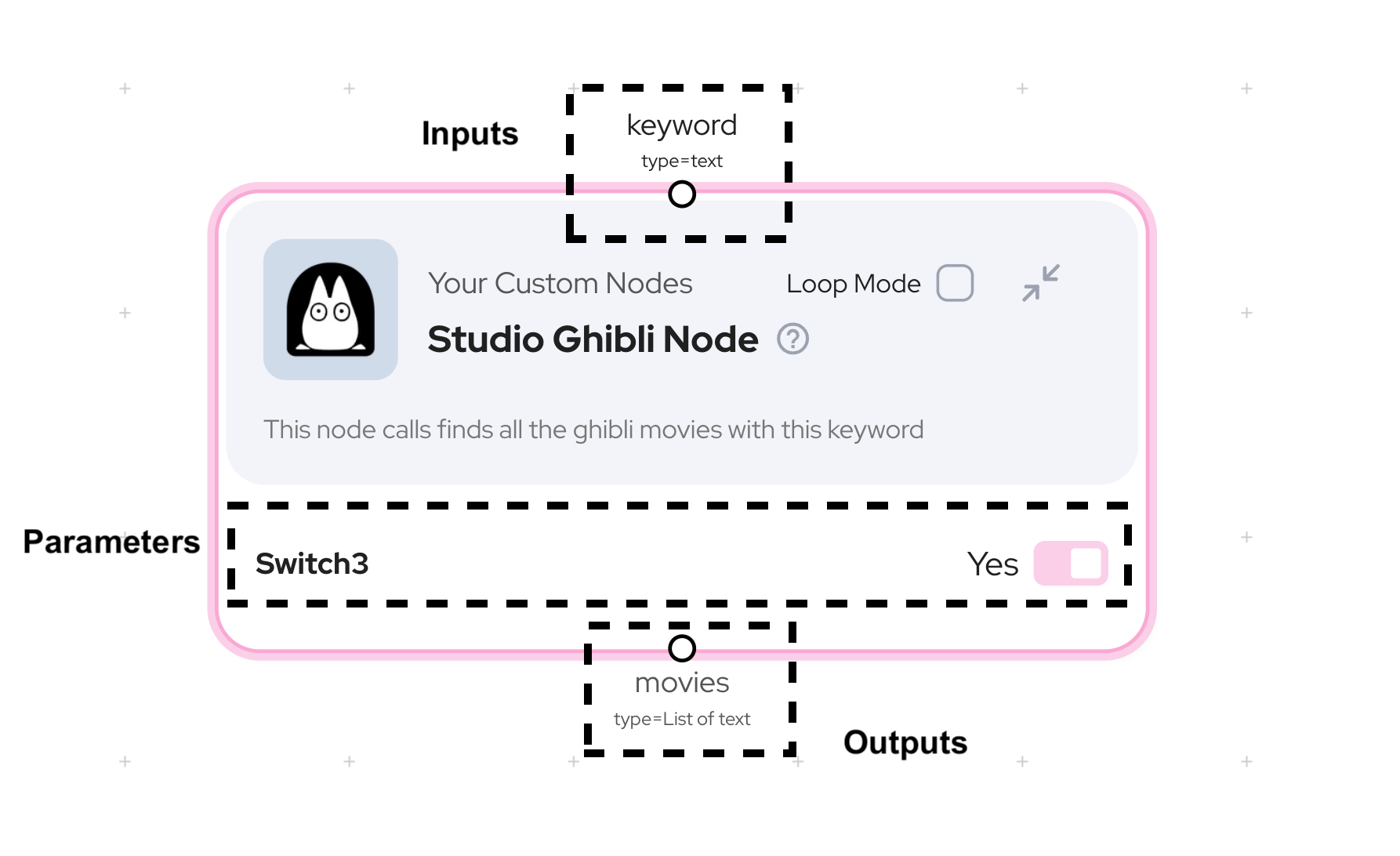
Reviewers love the “delightful” UI and power for non-coders, G2 around 4.7/5, with marketers raving about scraping/enrichment wins.
Pricing: Credits Keep It Honest (But Watch Usage)
- Free: 1,000-2,000 credits/month, test small flows.
- Starter/Solo: $37-97/month, More credits, seats.
- Pro/Team: $244-297/month, Team features, higher limits.
- Enterprise: Custom.
Bring your own API keys to save on AI costs. Great if you run heavy; otherwise, overkill vs. cheaper alts.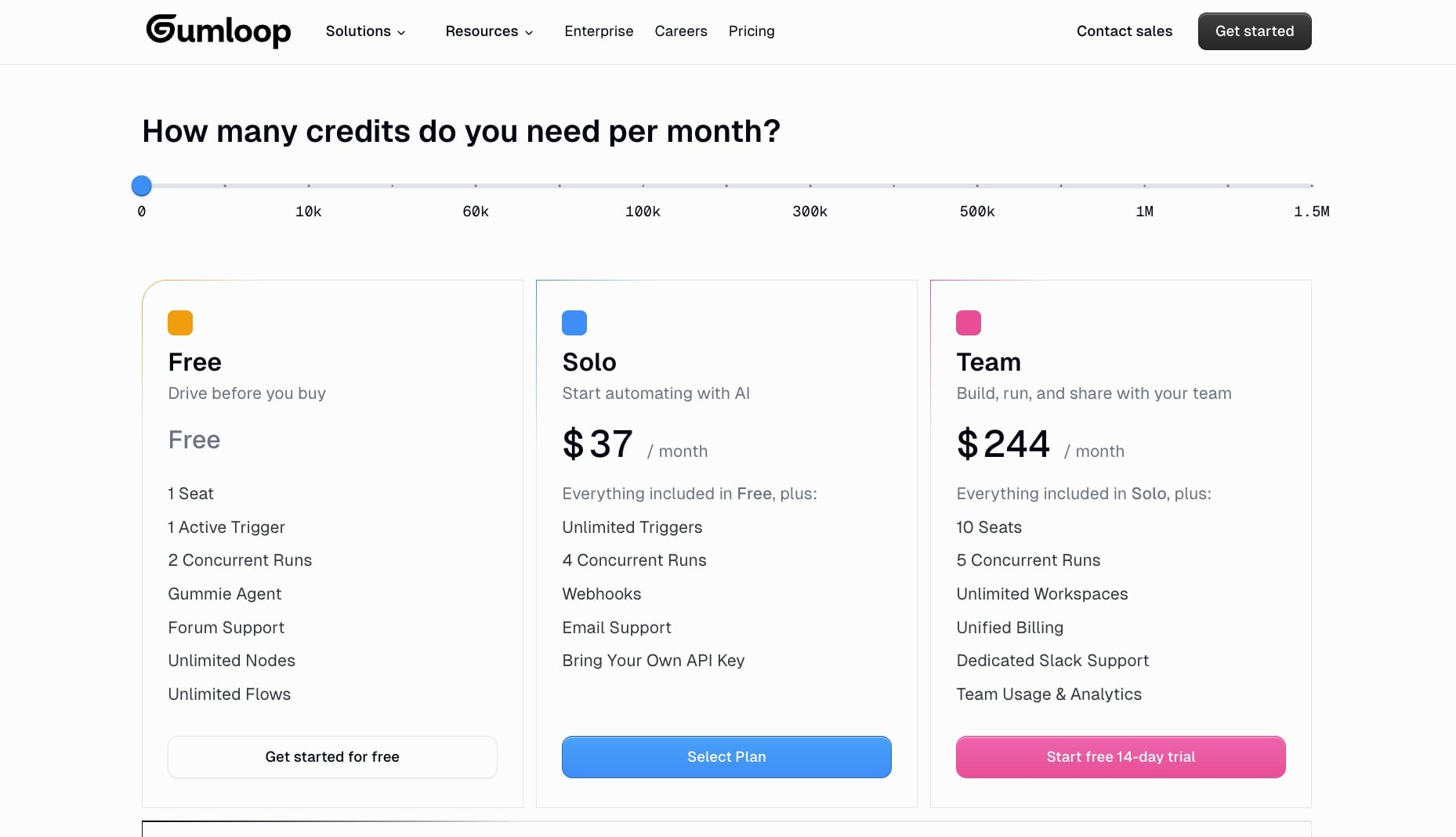
Who’s Gonna Love This (And Who Might Pass)
Marketers automating research/SEO, ops folks handling data mess, freelancers building client tools, Gumloop’s your jam for AI-deep workflows. Teams at Webflow/Rippling use it enterprise-scale. Skip if you need simple zaps (Zapier) or beginner hand-holding (Thunderbit/Lindy cheaper/easier entry).
Verdict: 9.5/10, Fresh Powerhouse With Room to Grow
Gumloop feels like the future for AI automation, flexible, smart, and genuinely fun once you’re over the hump. It slashed my manual grunt work, sparking ideas I couldn’t chase before. The curve and costs dock points, but for AI-first needs in 2025? Worth the spin. Hit the free plan, copy a template, tweak a flow, see if it clicks. You might just automate your next big win.
What’s your trickiest repetitive task? Drop it; Gumloop might node it away.
About the Author