
Picture this: You’re firing off a dozen prospect emails, crossing fingers they’ll bite, but crickets. Days later, you’re knee-deep in follow-ups, wondering who even glanced at your pitch. Sound familiar? It’s the daily grind for sales folks, recruiters, and anyone hustling via inbox. Now imagine slashing that chaos, tracking opens in real-time, auto-scheduling meetings without the ping-pong, and even letting AI tweak your wording for that perfect hook. That’s Mixmax in a nutshell, a Gmail sidekick that’s turned email drudgery into a streamlined machine for thousands. Up front value bomb: Teams using it report reply rates jumping 30-50%, and one reviewer shaved 15 hours of weekly outreach down to 30 minutes. If your quota’s breathing down your neck, this could be the edge that lands that coffee chat, or the deal. I’ve sifted through fresh 2025 reviews from sales pros and tools like G2 to unpack it. Let’s dive in, no fluff.
Mixmax 101: Your Gmail Glow-Up for Sales Superpowers
At its core, Mixmax isn’t some standalone app hogging your desktop, it’s a slick Chrome extension that nests right in Gmail (or Outlook, if you’re old-school). Born for sales engagement but sneaky-good for recruiting or customer success too, it packs email smarts into one spot. Think tracking every open and click like a digital detective, whipping up reusable templates that feel custom every time, and firing off automated sequences so follow-ups happen on autopilot. Toss in polls embedded in emails for quick yes/no vibes, or AI that drafts replies tailored to your prospect’s industry woes.
Launched years back but beefed up in ’25 with sharper AI like “Smart Send” (picks the goldilocks hour to hit send based on past opens) and “Compose” (spits out polished pitches from a vague prompt), it’s evolved beyond basics. Integrations? Seamless with Salesforce, HubSpot, Slack, auto-BCC leads to your CRM without lifting a finger. And that Meeting Scheduler? Embed your calendar, round-robin for team load-balancing, done. No more “When works for you?” marathons. It’s for anyone drowning in inbox admin, turning scattered sends into strategic strikes.
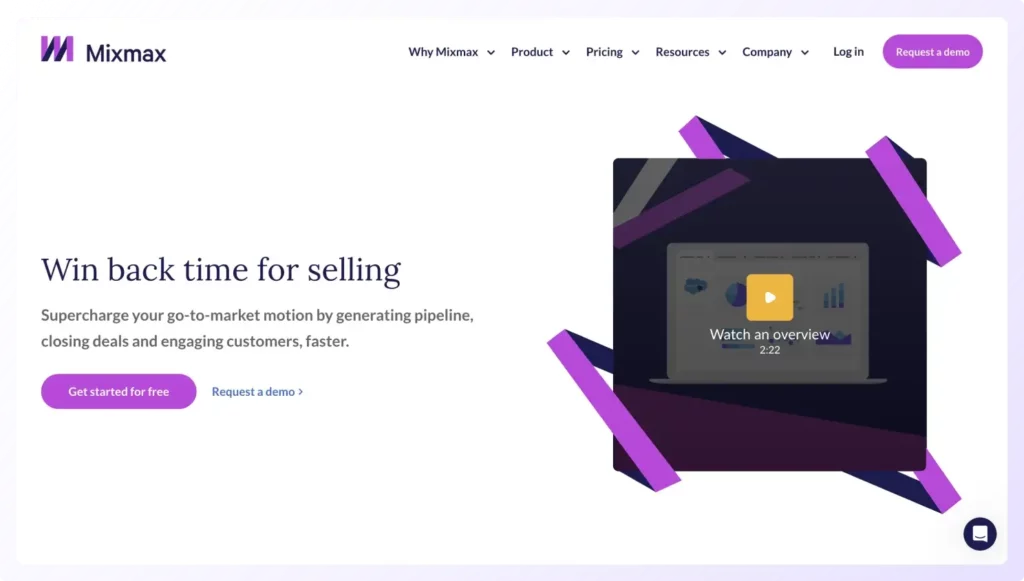
Here is what the dashboard looks like.

Getting Started: From Zero to Outreach Hero in Under 10 Minutes
Ease is the name of the game here, no IT wizardry required. Download the extension, link your Gmail, and boom: A toolbar pops up like a trusty co-pilot. Want to track? Toggle it on an email; notifications ping for opens, clicks, even device deets (mobile? Desktop? Location hints?). Crafting a sequence? Drop in leads (CSV upload or CRM pull), set stages, email one, wait three days, nudge two, add personal zings like {{first_name}} or behavior triggers (“If they opened but ghosted, fire this variant”). AI jumps in to brainstorm subject lines that dodge the spam bin.
For meetings, paste a link or embed slots; prospects pick, it syncs everywhere. Analytics dashboard? Clean overview of reply rates, engagement scores, spot what’s clicking (pun intended). Collaborate by sharing templates team-wide or chatting in-thread. One tester imported a lead list, launched a sequence, and booked three calls by lunch, all while sipping cold brew. Pro hack right away: Start with a simple A/B test on two subject lines. Watch opens soar, tweak from there. It’s forgiving for newbies but scales for power users chasing multichannel (email + LinkedIn on higher tiers).
The Wins That’ll Hook You (And the Hiccups That Might Not)
Mixmax shines brightest when you’re all-in on Gmail hustle.
1. Big wins: That tracking? Game-changer, one sales rep caught a prospect lurking on their link five times, jumped in with a timely “Saw you’re digging the demo, thoughts?” and sealed the demo. Automation frees brains for big-picture selling; sequences ensure no lead slips through cracks. Users rave about the AI, it nails tone (casual for startups, buttoned-up for corps) and personalization, boosting replies without the creep factor. Scheduling’s a breeze, polls snag quick intel (e.g., “Preference: Zoom or call?”), and integrations keep data flowing sans manual entry. Overall, it’s a productivity rocket: 89% of reviewers would recommend, citing time hacks and workflow zen.
But hey, it’s not all smooth sails.
2. Pain points: Pricing stings for solos or tiny crews, that free tier’s teaser-only (20 tracks/month now, down from 100). UI feels a tad cluttered or dated to some, like a toolbox overflowing mid-job. Support? Spotty, chat ghosts, emails lag, leaving folks fuming during glitches (Gmail sync hiccups top the list). No native mobile app means phone warriors scramble. And deliverability? Tracking pixels sometimes trip alarms, landing emails in junk. Bugs pop up, especially in Salesforce handshakes, and the feature flood can overwhelm rookies. Solid 8/10 for efficiency, but dock points for polish.
Pricing Breakdown: Smart Bang for Your Buck?
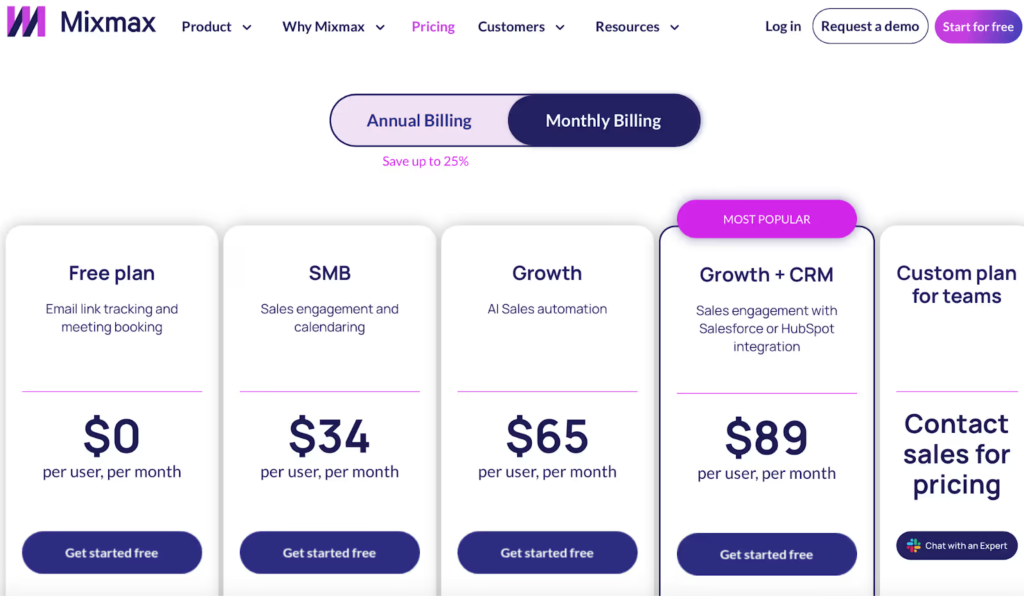
Mixmax keeps tiers simple, no gotchas.
Free: $0, unlimited templates/scheduling but skimpy tracking/polls, dip your toe here.
SMB: $34/user/month, unlocks sequences, shared goodies, CRM basics.
Growth: $65/month, AI magic, analytics, round-robin.
Growth + CRM: $89, deep Salesforce/HubSpot ties, API. Enterprise? Custom for extras like SMS/LinkedIn. Add-ons like Meeting Copilot ($39) for AI note-taking. 14-day trials, 25% off yearly, if you’re sequencing 50+ leads monthly, Growth pays off in closed-won joy. Small fry? Free or SMB. Scaling squad? Go CRM.
(Quick visual from a reviewer’s setup: Imagine a dashboard screenshot showing open rates spiking post-AI tweak, pure motivation.)
Who’s It For? (And When to Swipe Left)
Nail-on-head for SDRs, account execs, or recruiters glued to Gmail, if 70% of your day is outreach, this amplifies it. Small teams love the collab without bloat; educators even hack polls for feedback loops. But pump brakes if you’re enterprise-heavy (spotty multichannel) or mobile-first (no app). Budget hawks? Peek at Reply.io for beefier AI at similar dough, or Mailshake for standalone bulk sends. Vs. Outreach? Mixmax’s lighter, cheaper for email purists.
Final Verdict: Inbox Ally or Overhyped Add-On?
Bottom line: If emails are your battlefield, Mixmax arms you better, faster replies, fewer misses, more meetings. It’s not flawless (support, bugs, fix ’em, folks), but the time reclaimed? Priceless for hitting targets without burnout. From G2 glow-ups to gritty gripes, the consensus screams value for email warriors. Grab the free ride, sequence a test batch, track those opens. Your next “yes” might just ping back sooner. What’s your email Achilles’ heel? Spill in comments, maybe Mixmax’s got the band-aid.
About the Author