You’re knee-deep in a Zoom marathon, sales pitch one, team sync two, client grilling three, and by the end your notebook’s a scribbled mess of half-sentences and coffee stains. Worse, you missed that one killer insight because you were too busy jotting “action item: follow up on Q3 budget.” Sound familiar? If meetings are sucking the life out of your week (and let’s be real, they often do), Fathom AI might just be the quiet hero you didn’t know you needed. It’s not some flashy gadget, it’s a no-fuss AI sidekick that records, transcribes, and sums up your calls so you can show up fully present, not playing catch-up. I’ve poked around it myself after hearing raves from sales folks buried in back-to-backs, and spoiler: It turned my “what did we even decide?” post-meeting haze into crystal-clear recaps in under five minutes.
Launched back in 2020 by a crew tired of the same old grind, Fathom hooks into Zoom, Google Meet, and Microsoft Teams like it was born there. No clunky setups or endless tutorials, just a lightweight bot that joins your call (yeah, it’s visible, more on that later), captures everything in real-time, and spits out searchable transcripts, highlight reels, and AI-digested summaries. The magic? It pulls out action items, key questions, and even sentiment vibes without you lifting a finger. For busy pros like customer success reps tracking client vibes or salespeople chasing deals, it’s like handing over the tedious bits so you can focus on the human stuff, the laughs, the breakthroughs, the “aha” moments that actually move the needle.
Here’s a glimpse of the clean dashboard where all your meetings land—easy to navigate, with transcripts, summaries, and clips right at your fingertips.
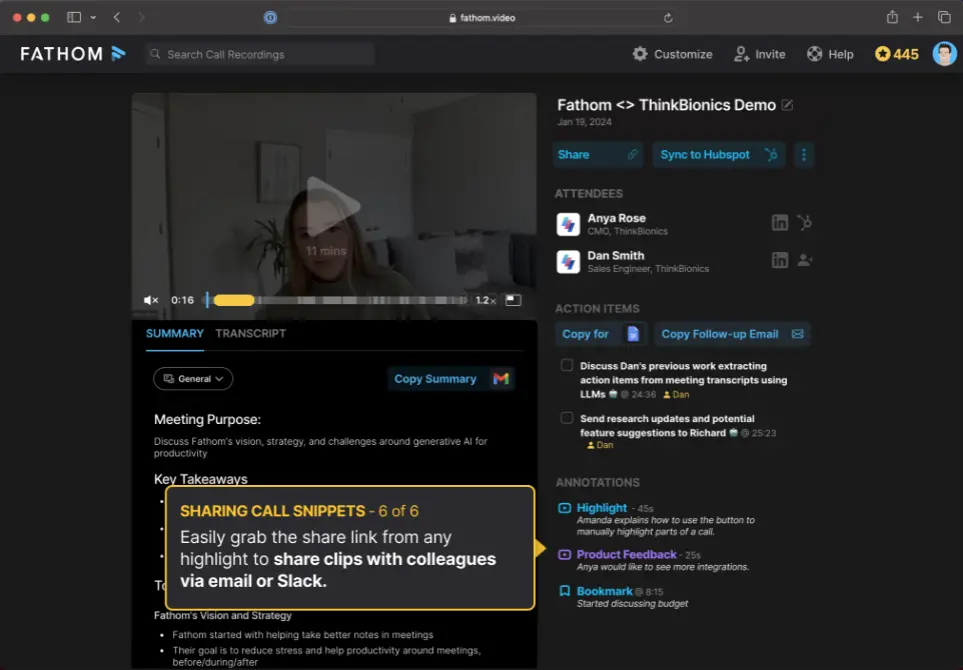
What hooked me right away was how it flips the script on meeting prep. No more frantic recaps or “did I miss that email?” panics, instead you get a dashboard that’s basically your meeting memory bank: Jump to any timestamp, query the whole thing with “Ask Fathom” (think ChatGPT but laser-focused on your call), or clip a 30-second gem to Slack your team. And for global hustlers? It handles 28 languages, nailing accents better than my last dictation app flop

The Features That’ll Make You Wonder How You Survived Without It
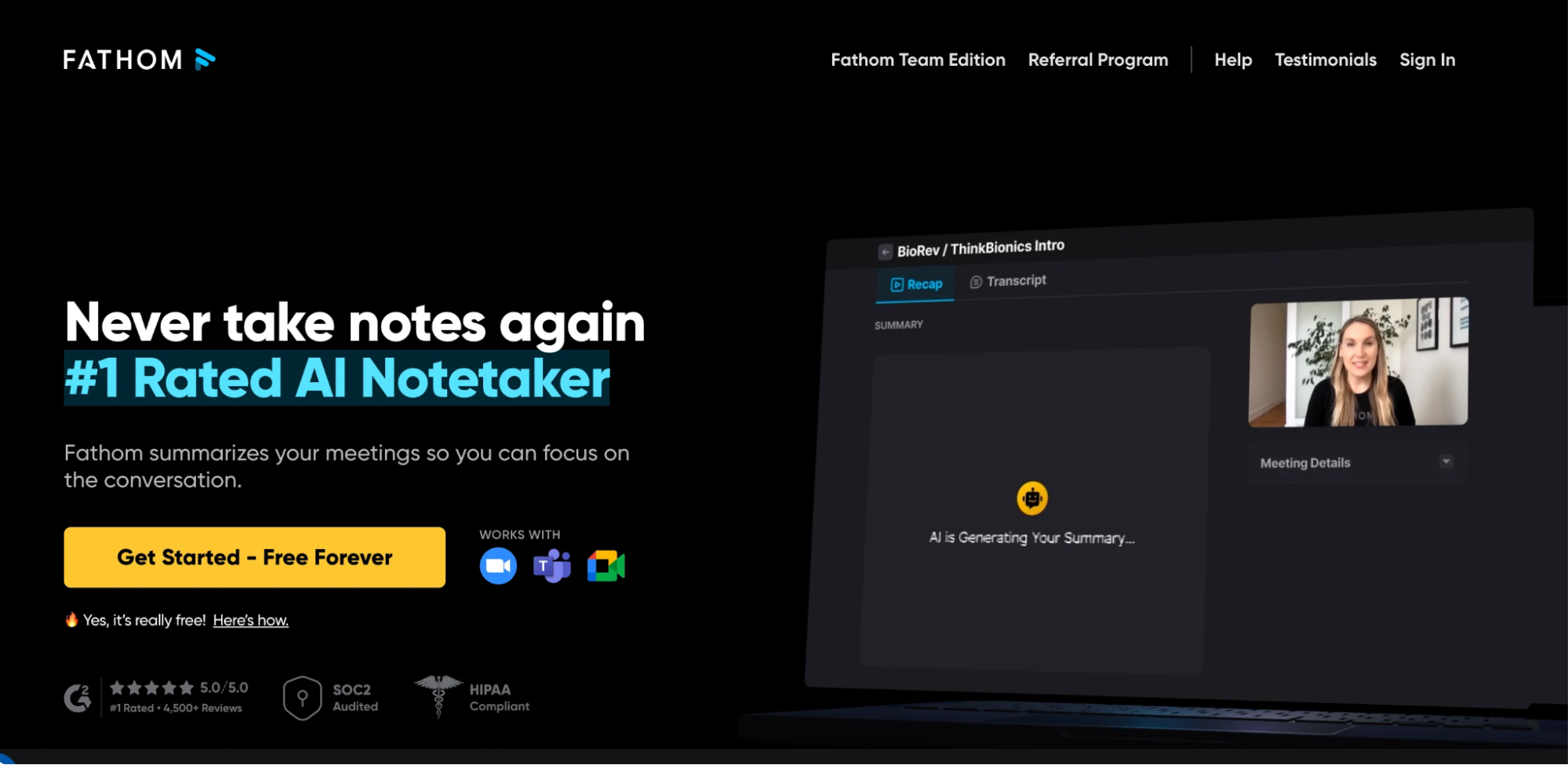
Let’s break it down, no fluff, just the goods that deliver real bang for your hour.
- Real-Time Transcription and Recording: The bot dives in, labels speakers (usually spot-on at 85-90% accuracy with decent audio), and builds a clickable transcript you can edit on the fly. Shared screens? Captured. Video quality? Crisp enough for that recruiting demo you need to replay without cringing.
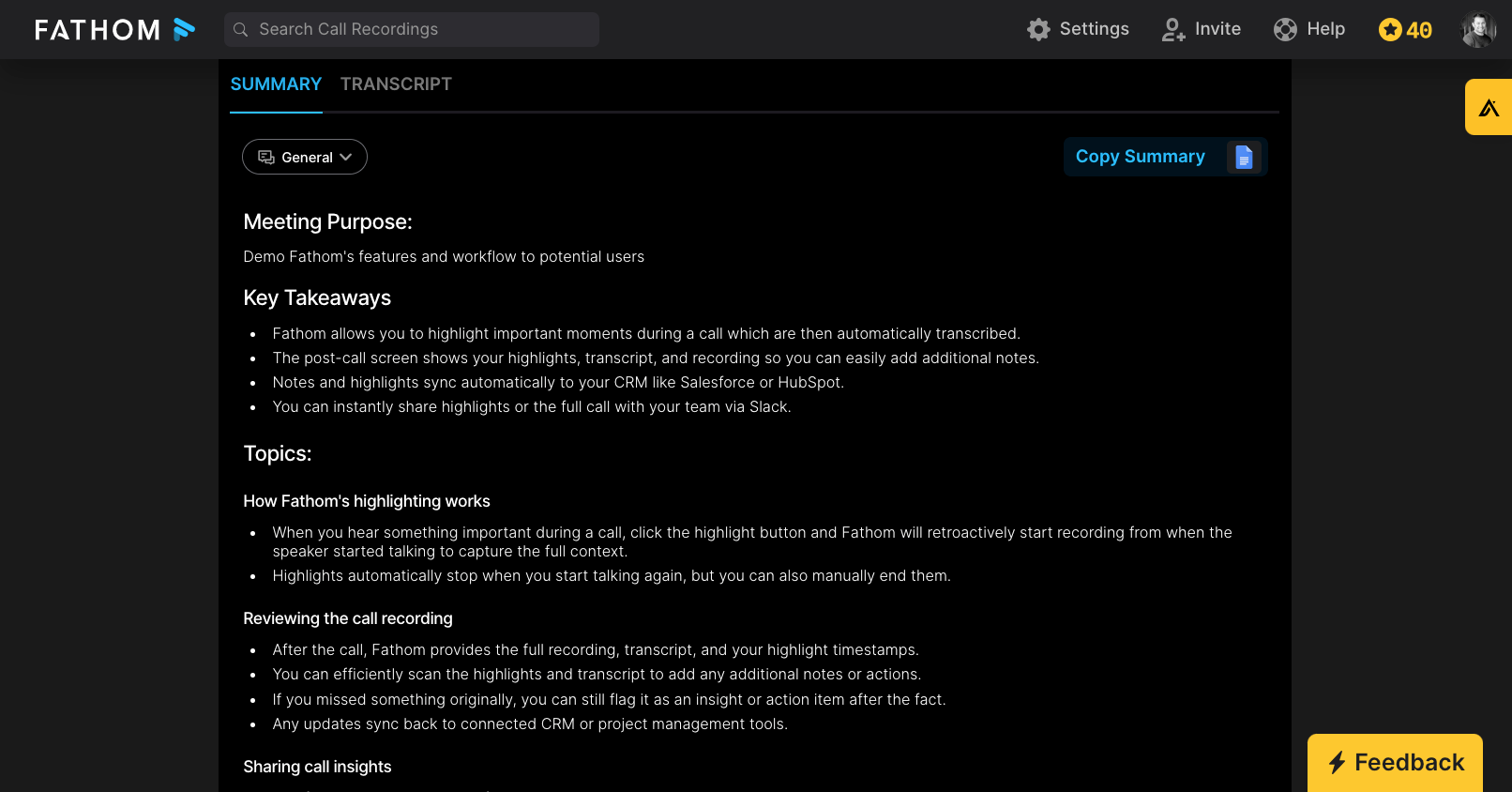
- AI Summaries That Actually Cut Through the Noise: Post-call, it auto-generates recaps, chronological rundowns, sales-specific takeaways, or user interview nuggets. Pick from 14 templates on paid plans (stand-ups, coaching sessions, you name it), and boom: Bullet-point gold with action items starred. One sales buddy of mine shaved 20 minutes off his weekly review by just skimming these.
Check out this clean summary example—action items highlighted, key points clear, no digging required.
- Highlight Reels and Clips: During the call, one-click tags for “objection handled” or “decision made.” After? Shareable video snippets or audio bites that pack more punch than a wall of text. Perfect for looping in absentees without forcing a full rewatch.
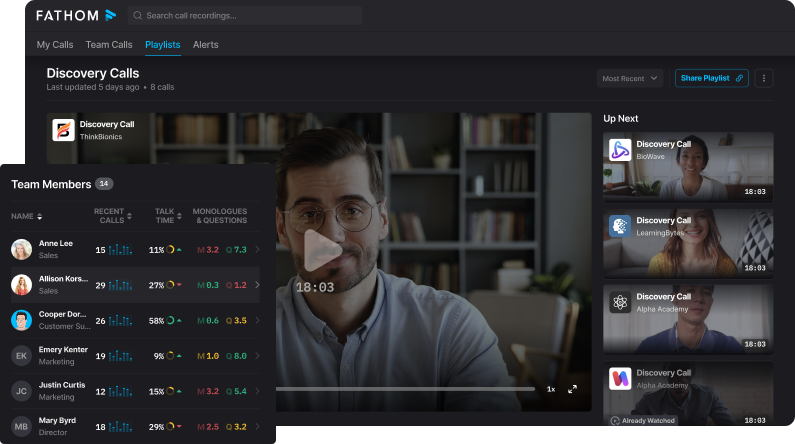
- Ask Fathom and Insights: Got a nagging question like “What was said about the Q4 timeline?” Hit the chat, get an instant pull-quote. Team plans amp it up with cross-meeting searches, keyword alerts (e.g., flag every “budget” mention), and even sales coaching nudges, like a gentle buzz if you’re monologuing too long.
- Integrations That Don’t Suck: Native hooks to HubSpot, Salesforce, and Slack mean action items auto-pop into your CRM or chat. Zapier opens the floodgates to 7,000+ apps (Notion, Asana), though you’ll need the paid tier for unlimited zaps. No pre-recorded file uploads, it’s live calls only.
Pro tip from the trenches: For sales teams, that real-time coaching on talk ratios is a game-changer. I tested it in a mock pitch, the nudge to “ask more questions” kept things balanced without feeling Big Brother-y.
The bot joins visibly (here’s how it shows up in a typical Zoom/Teams call).
The Raw Truth: Hits, Misses, and Where It Stumbles
Fathom nails the basics with style, users on sites like Capterra and TrustRadius peg it at 4.4-4.5 stars, gushing over the free tier’s generosity (unlimited recordings, no storage caps) and how it frees you to engage. One reviewer called it “the only reason I don’t dread Teams calls anymore,” citing spot-on speaker ID that saved hours of rewinds. Privacy’s tight too, HIPAA, GDPR compliant, and they swear no training on your data. Setup? A breeze: Link your calendar, tweak auto-join prefs, and you’re rolling in minutes.
But it’s not all sunshine. The bot’s visibility can feel awkward in client huddles (some alternatives go incognito), and non-Zoom integrations lag, Google Meet needs a Chrome extension, Teams a manual nudge. Summaries shine for straightforward chats but fumble nuance in heated debates or jargon-heavy tech talks, sometimes missing tone or jumbling agendas. No mobile app means you’re desktop-bound, and while multilingual, it’s not the 100+ language beast some rivals boast. Oh, and those fancy templates? Locked behind team plans, which irks solo flyers.
In head-to-heads, it edges out Otter for sales smarts but trails tl;dv in workflow flair, no auto-emails or deep performance scorecards here, though their new coaching metrics are closing the gap. Bottom line: If your meetings are structured and you’re okay with a visible helper, it’s gold. For stealth mode or heavy customization? Peek elsewhere.
Pricing: No Gotchas, Just Straight Value
Free: Unlimited everything basic, record, transcribe, clip. AI summaries cap at five advanced ones monthly (basic after).
- Premium (Solo): $19-20/user/month, unlocks unlimited smarts, Ask Fathom, Zapier.
- Team: $18-29/user/month (min two users), shared folders, alerts, templates.
- Team Pro/Business: $28-39/user/month, coaching analytics, SSO, full CRM sync.
Annual discounts sweeten it, and that free plan’s a legit trial, no watermarks or nags. For heavy users, the ROI hits quick: One saved hour per meeting pays the bill.

Who Should Jump In (And Who Should Sit It Out)
This one’s for sales pros chasing CRM magic, customer success teams building knowledge vaults, or anyone in back-to-back hell wanting to reclaim their focus. Recruiters love the clip shares for quick reviews, global teams dig the language support. If you’re a solo creator needing mobile access or pre-recorded uploads, maybe test Fireflies instead.
Final Verdict: 9.8/10, Your Meeting Wingman, Upgraded
Fathom won’t dazzle with bells and whistles, but damn if it doesn’t deliver on the promise: Less admin, more impact. In a world where meetings eat 23 hours a week (yep, that’s the stat), it’s a breath of fresh air, reliable, respectful of your time, and sneaky-good at surfacing wins you might’ve missed. Grab the free tier, link a call, and see the difference. Worst case? You’ve got better notes. Best? Your next meeting feels like a conversation, not a chore.
What’s your biggest meeting pet peeve? Hit me up, maybe Fathom’s got the hack.
About the Author