
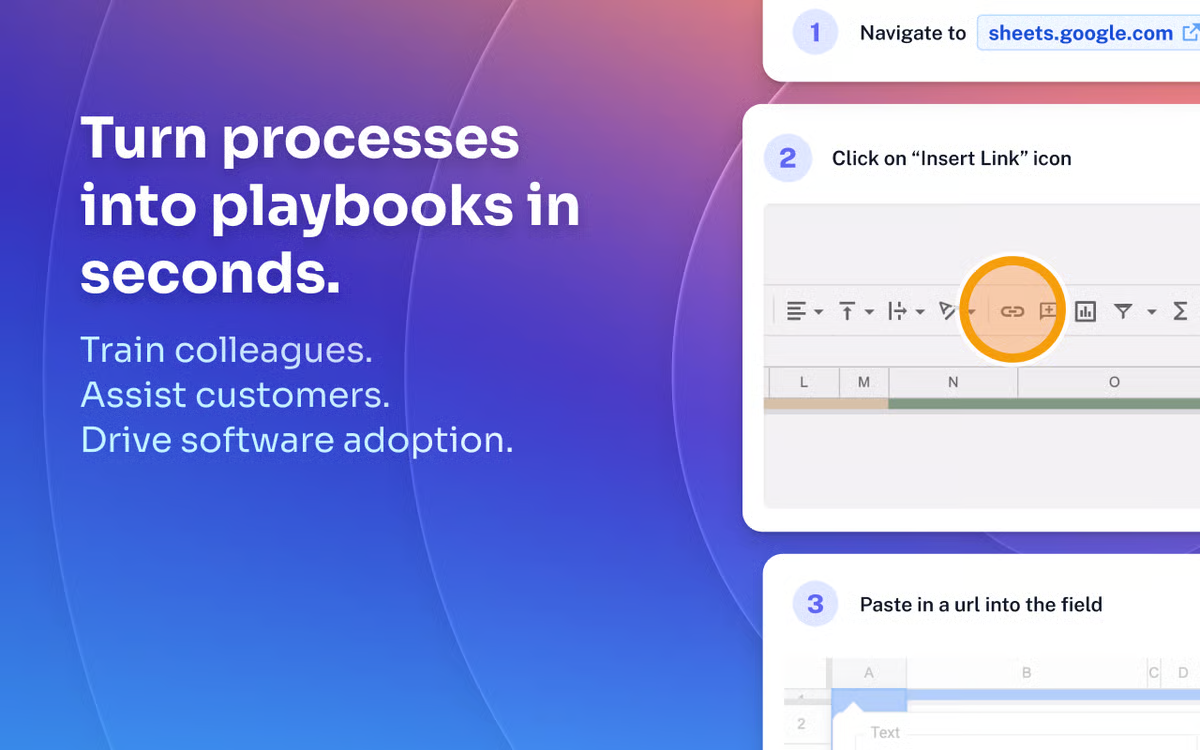
Ever get that ping from a teammate, “Hey, quick question, how do I run that monthly report again?”, and realize you’re about to spend 20 minutes typing steps, grabbing screenshots, and hoping they follow along without more questions? That was my loop as an ops manager for a growing e-comm team, fielding the same process queries while my inbox piled up. Then I stumbled on Scribe AI (from ScribeHow.com), this clever Chrome extension and desktop app that watches you work, captures every click, and spits out a polished step-by-step guide complete with screenshots and text. In my first week testing it for onboarding and SOPs, I knocked out 10 guides that used to take an hour each, now done in minutes, shared with a link, and updated automatically if processes change. If you’re training new hires, documenting workflows, or just tired of repeating yourself, whether solo consultant or team lead—Scribe feels like a lifesaver for turning “teach me” into “here you go.” It’s not flawless (free limits bite quick), but the time savings are real. Here’s my rundown from hands-on use and digging through 2025 reviews, so you can see if it’ll quiet your “how-to” noise too.
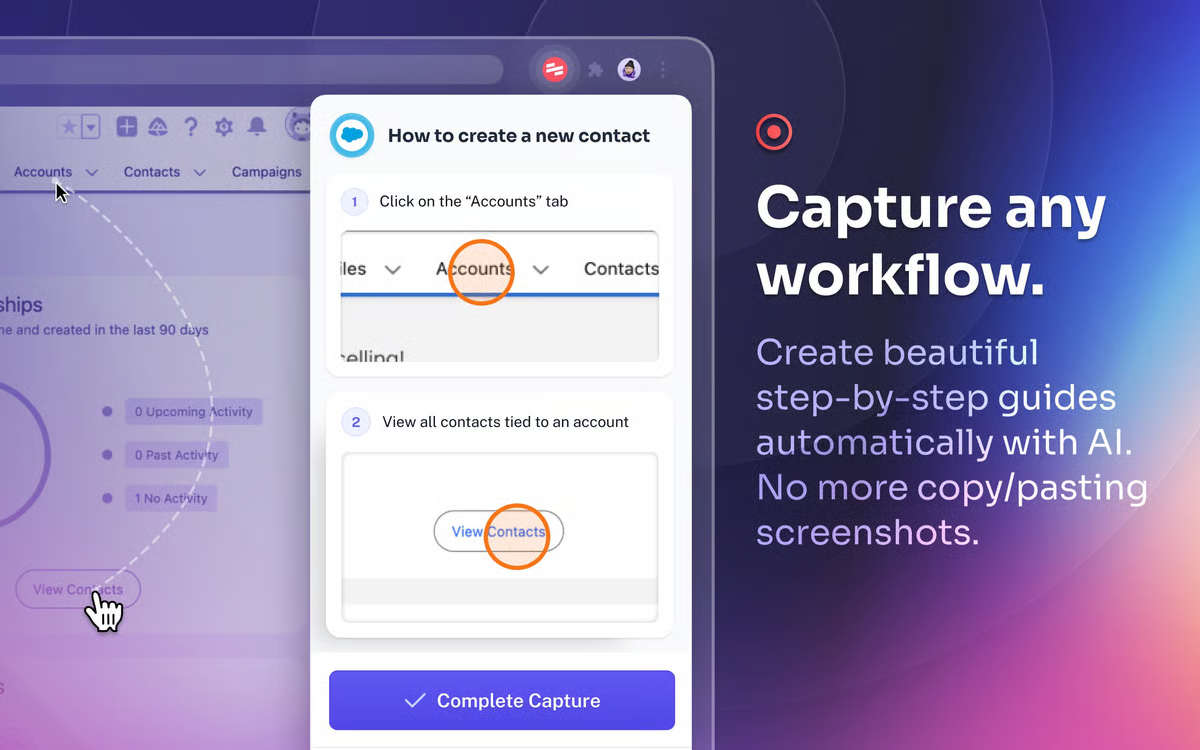
Scribe launched as a simple recorder but by late 2025 it’s an AI-boosted powerhouse for anyone creating guides, trusted by teams at HubSpot, LinkedIn, and thousands more. Install the extension or app, hit record while doing a task (web or desktop), stop, and watch it generate a guide with annotated screenshots, editable text, and AI-suggested titles/descriptions. Share via link, embed in Notion/Slack, or export PDF/HTML. Updates? Re-record, and linked versions refresh magically. I made a “process new vendor invoice” guide, captured in 2 minutes, customized with tips, and sent to finance; no more back-and-forth emails.
The Magic That Makes Documentation Almost Fun
From my captures and G2 raves (4.9/5 from thousands), here’s what shines.
- One-Click Recording: Extension/app follows your actions, grabs screenshots, adds instructions. Pro tip: Pause for sensitive spots, auto-redacts on paid plans.
- AI Polish: Generates titles, steps, tips; edit or combine guides into “Pages” for full manuals. Users love the “no more blank page” start.
- Customization & Sensitivity: Blur info, add calls-to-action, brand with logos. Desktop capture (Pro+) handles non-web apps.
- Sharing & Embedding: Links update live, embed anywhere, password-protect. Teams centralize in workspaces.
- Templates & Combines: Start from pre-builts, merge for overviews. Capterra/Trustpilot folks call it “SOP superhero”, cuts creation from hours to seconds.
Reviews gush: “Saved hundreds of hours,” “Transformed dull docs into dynamic guides.”
The Catch (It’s Addictive, But Has Limits)
Scribe’s intuitive, but free plan caps (web only, limited guides) push upgrades fast. Desktop/full redaction on Pro ($29-35/user/mo). Editing mid-record isn’t live, restarts needed for misses. Some gripe on annotation depth (no advanced arrows free) or occasional capture glitches on complex sites. Vs. Tango (free competitor) or Guidde (video focus), Scribe wins screenshot polish but trails pure video. Support’s responsive but ticket-based.
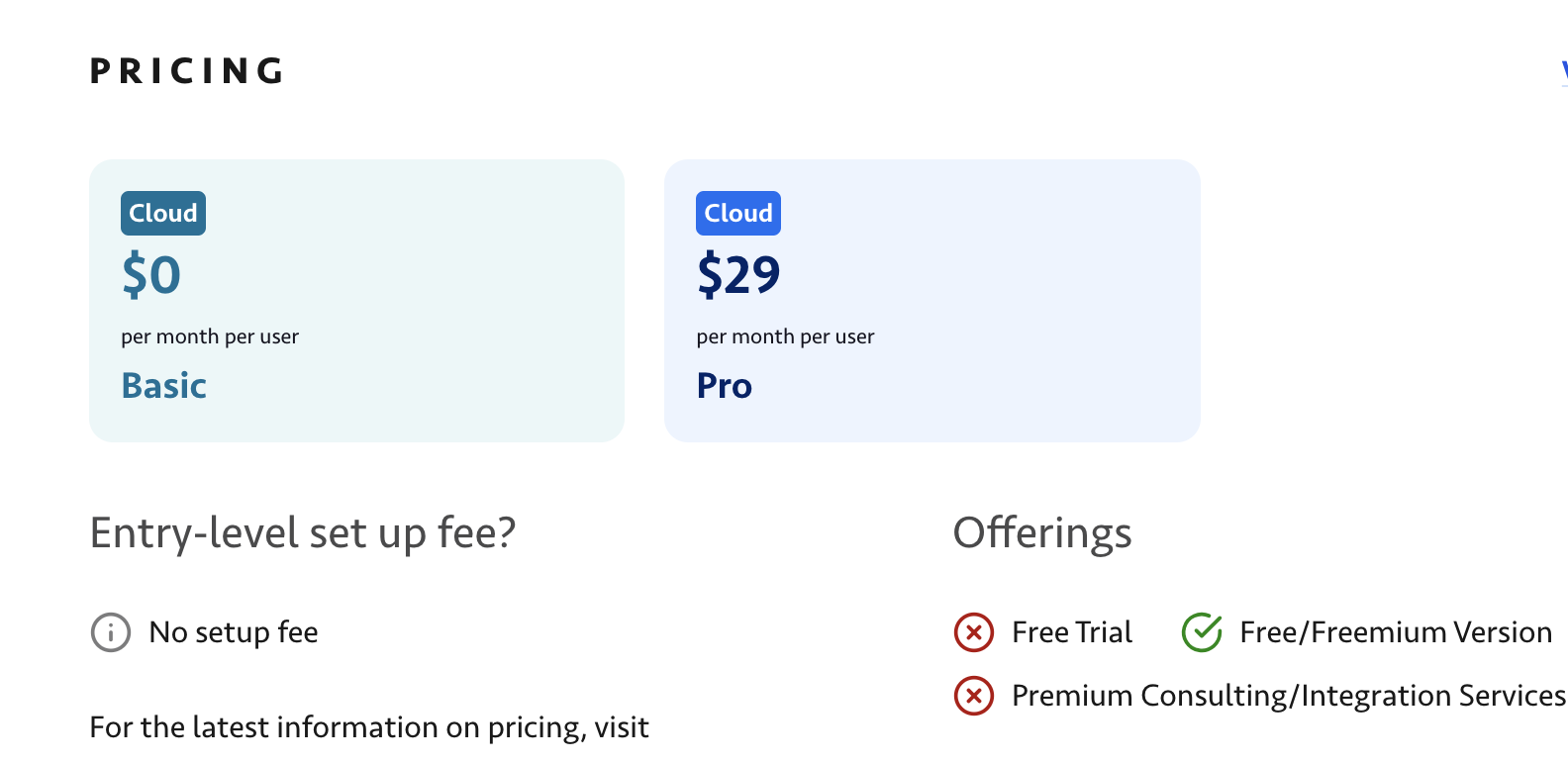
Pricing: Free Taste, Paid Feast
- Basic/Free: Unlimited personal guides (web capture, basic edits), great solo test.
- Pro: ~$29/user/mo, Desktop, auto-redact, branding, unlimited.
- Enterprise: Custom, Teams, SSO, analytics.
Annual discounts; scales with users. ROI quick for 5+ creators, time savings pay it.
Who’s Loving Scribe (And Who Might Not)
This is heaven for ops/training leads creating SOPs, customer success sharing fixes, or consultants delivering playbooks, especially remote teams. Freelancers dig quick client handoffs. Skip for video-heavy needs (Loom better) or zero-budget (manual screenshots free). If processes change often, the auto-update is gold.
Verdict: 9.0/10, My Documentation Go-To
Scribe didn’t erase teaching, but it made it effortless, guides that look pro, update easy, and cut repeat questions. In 2025’s knowledge-sharing scramble, it’s a standout for busy creators, docking only for paid walls on premium capture. Grab the free extension, record a routine task, customize, share, feel the relief. You might finally answer “how?” with a link instead of a sigh.
What’s your biggest “teach this again” pain? Drop it; Scribe might capture the cure.
About the Author