Let’s kick this off with a confession: My inbox used to own me. As a freelance consultant juggling multiple clients, I’d wake up to 100+ emails, spend the morning sorting spam from urgent, draft replies that sounded robotic, and still miss follow-ups from meetings. Sounds like your morning? That’s why, in mid-2025, I gave Fyxer AI a shot, this AI executive assistant that promises to organize your Gmail or Outlook, draft replies in your voice, join meetings for notes, and basically hand you back an hour a day. Early on, it felt like a win: Emails auto-labeled (“To Respond,” “FYI,” “Marketing”), drafts ready to tweak and send, meeting summaries landing in my inbox post-call. But as months rolled (and bugs piled), the shine wore off, glitches, mislabels, and a price that felt steep for inconsistent magic. In early 2026, reviews are mixed: Some swear it saves hours, others call it overpriced hype. Here’s my balanced ride from setup to daily grind, pulled from real use and fresh feedback, so you can decide if it’ll tame your chaos or add more.
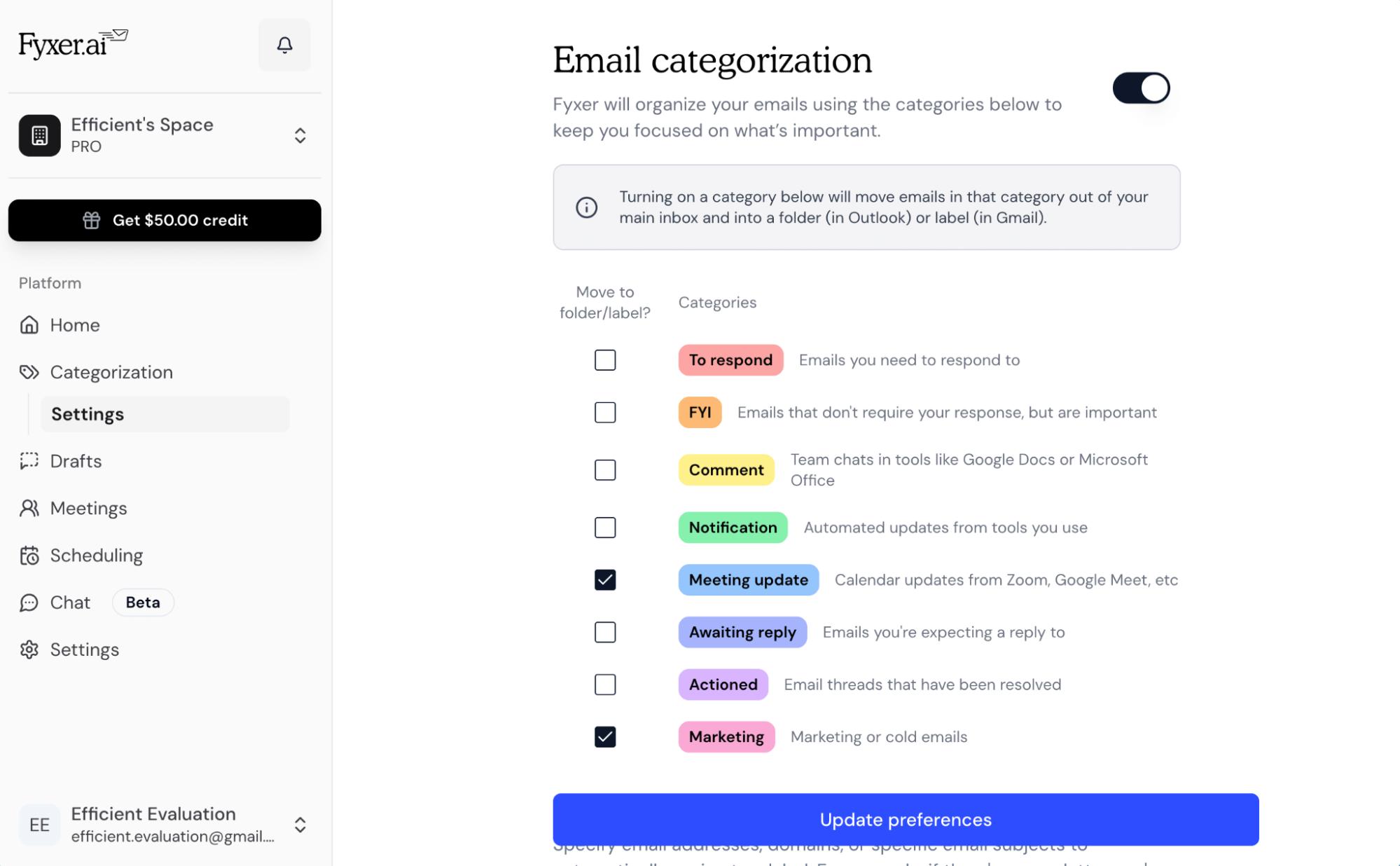
Fyxer AI is an AI layer on Gmail/Outlook, launched to tackle admin overload for busy pros. It auto-categorizes emails (spam to “Marketing,” urgent to “To Respond”), drafts replies mimicking your tone (learns from your history), joins calls (Zoom/Teams) for transcripts/summaries/action items, and drafts follow-ups. No app download, just browser access with deep permissions. Security’s enterprise-grade (SOC 2, GDPR, HIPAA option), data not used for training. For teams, shared learning improves drafts/notes. I connected Gmail in minutes, watched it label old threads, and got my first “ready-to-send” draft, decent match for my casual style.
The Wins That Had Me Hooked (At First)
What clicked hard, from my workflow and 2025-2026 reviews.
- Inbox Triage on Autopilot: Auto-labels/folders emails, important rise, junk sinks. Cut my morning sort from 30 mins to 5.
- Drafting That (Mostly) Sounds Like You: Preps replies with context from threads. Early drafts nailed tone; saved typing on routines.
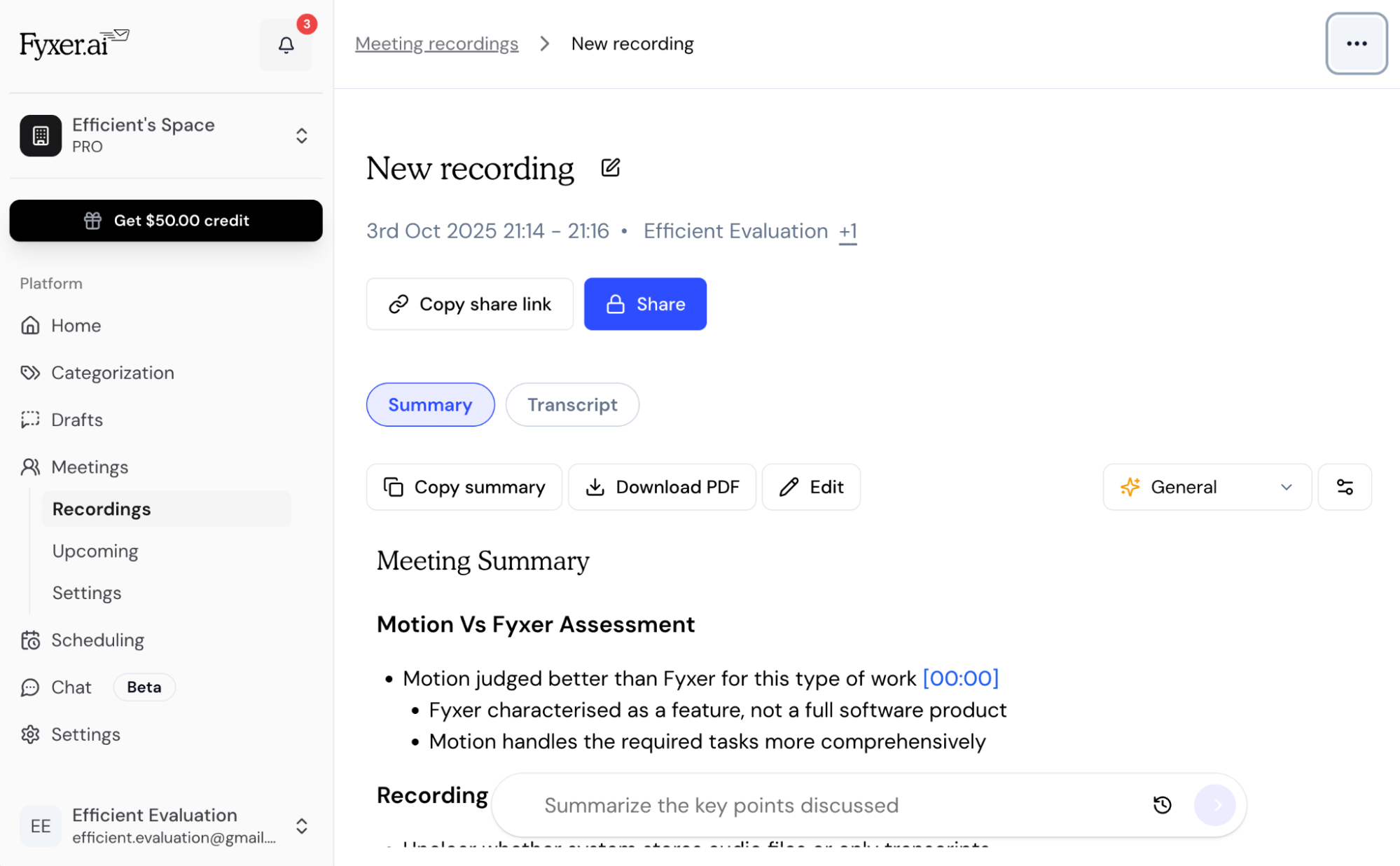
- Meeting Sidekick: Joins calls, transcribes, summarizes key points/actions, drafts follow-ups. Handy for back-to-backs, no manual notes.
- Attachment Smarts (Pro+): Reads/summarizes files in emails. Useful for quick scans.
- Team Boost: Shared account learns collective style, great for consistent client comms.
G2/Trustpilot users (mixed 4-4.5/5) praise time savings: “Hour back daily,” “Drafts feel human.”
Pricing: Starts Reasonable, Scales Steep
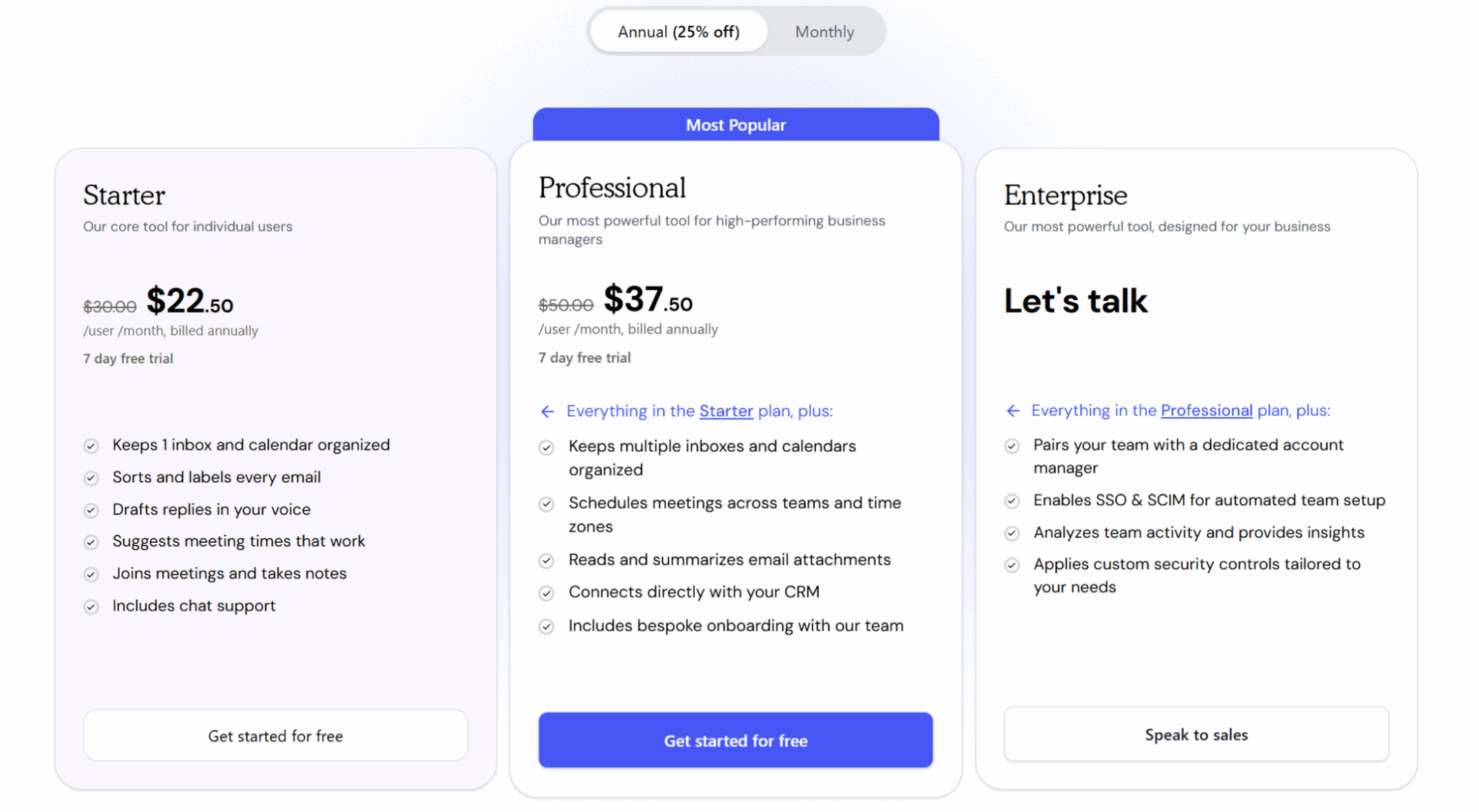
- Free Trial: 7 days full access, test core.
- Starter: ~$22-30/mo/use, 1 inbox, basics.
- Professional: ~$37-50/mo, Multi-inbox, attachments, CRM.
- Enterprise: Custom, Teams, security extras.
Monthly higher; annual discounts. For solos, Starter ok; teams need Pro+.
Who’s Getting Real Value (And Who Bails)
Busy execs/founders with heavy email/meetings, saves admin without full assistant. Small teams for consistent tone. Skip for light users (Gmail built-in suffices) or budget-tight (free alts like SaneBox). If reliability is key, test hard.
Verdict: 7.2/10, Promising But Buggy Time-Saver
Fyxer AI sparked hope for inbox peace, drafts/notes that freed focus early on. But 2026 glitches, inconsistencies, and cost dulled the shine, echoing mixed reviews. Great concept for overwhelmed pros, execution needs polish. Trial it, stress-test categorization/drafts a week, if consistent, worth it. Otherwise, alternatives beckon.
What’s your inbox Achilles’ heel, drafts or sorting? Spill; Fyxer might (or might not) fix it.
About the Author