A couple months back, I had this dumb idea for a short clip: a robot barista spilling coffee in slow motion while dramatically staring at the camera. Sounded hilarious in my head, perfect for a quick social post. But filming it? Nah, too much hassle with props and actors. So I hopped on Runway AI, the tool everyone’s buzzing about for turning text or images into actual moving videos with their Gen-3 and Gen-4 models. No camera, no crew, just prompts and a credit card. After burning through a bunch of credits (and a fair bit of patience), I ended up with some mind-blowing clips… and a pile of weird, glitchy ones that looked like AI had a nightmare. If you’re a content creator tired of stock footage, a filmmaker prototyping scenes, or just a hobbyist messing with AI magic, Runway’s got serious potential to spark ideas fast. But it’s not the effortless dream machine the hype sometimes makes it out to be. Here’s my honest take after dozens of generations, pulled from real tests and what folks are saying online, no sugarcoating.
Runway started as a playground for artists tinkering with machine learning back in 2018, but now in late 2025, it’s a full-blown video powerhouse with Gen-4 leading the charge. You type a description (or upload a photo), tweak settings like camera angles or motion intensity, and it spits out 5-10 second clips. The latest models handle everything from hyper-realistic humans to stylized animations, with tools for lip sync, object removal, and even extending clips. I started with a simple prompt: “A cozy cabin in the woods at dusk, snow falling gently, warm light from windows.” Ten minutes later (queue times vary), I had a serene loop that legit felt cinematic, smooth panning, realistic flakes drifting down. Pumped, I escalated to character stuff, and that’s where the magic (and frustration) kicked in.
The Cool Stuff That Had Me Hooked Right Away
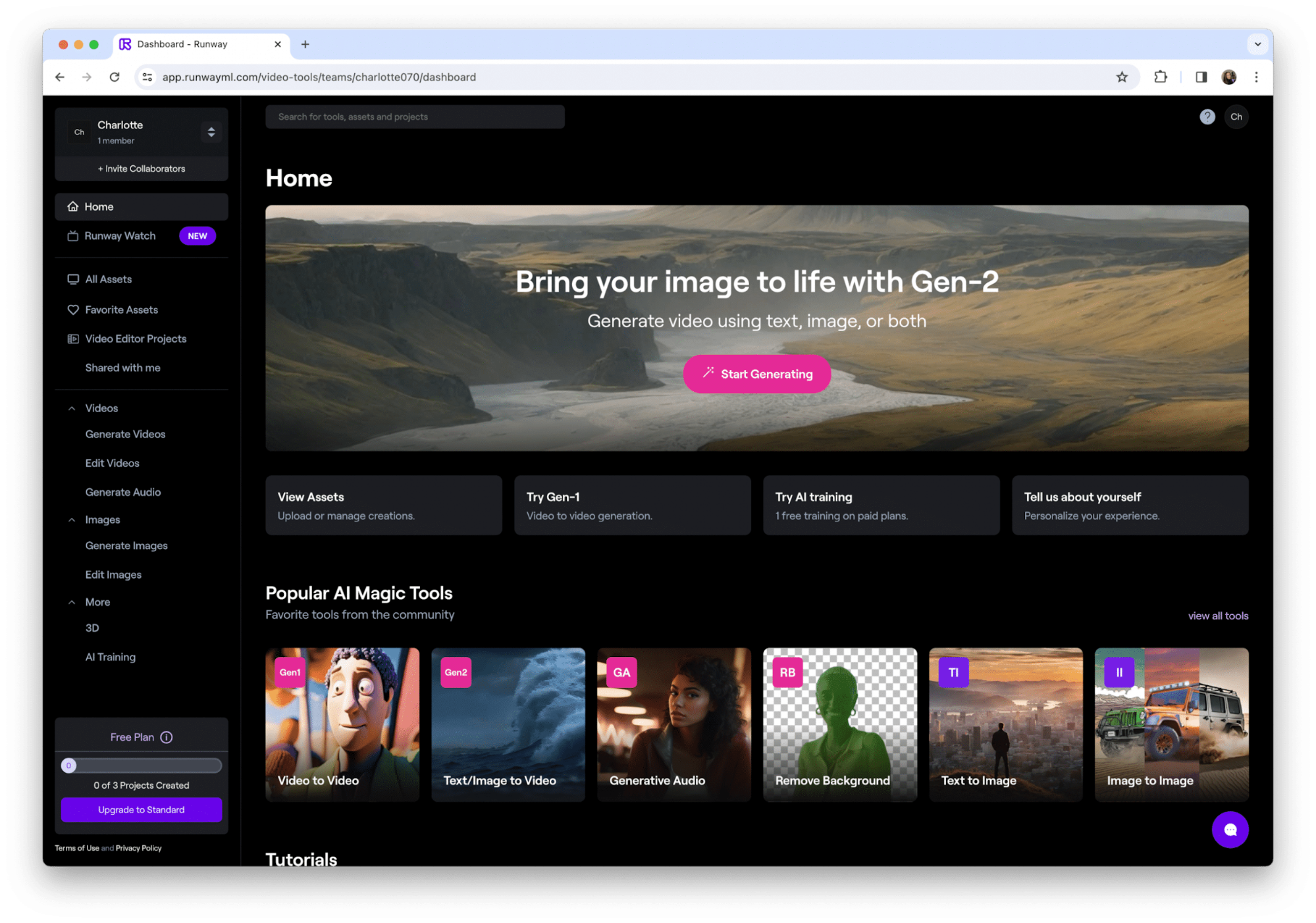
Runway’s dashboard is clean and intuitive, drop in text, pick a model (Gen-4 for top fidelity, Turbo for quicker/cheaper runs), and play with controls like Motion Brush (paint where things move) or Advanced Camera (dolly zooms, anyone?).
- Text-to-Video and Image-to-Video: The bread and butter. Feed it a script or photo, and it animates with impressive physics, water flows naturally, fabrics ripple. My robot barista? First try was uncanny valley weird, but after a few tweaks (stronger prompt weighting on “clumsy spill”), I got a usable 10-second gem.

- Editing Tools on Steroids: Upload your own footage, remove backgrounds, inpaint objects, or add effects. Great for fixing shots or creating hybrids, turn a static photo into a panning scene.
- Lip Sync and Audio: Auto-match dialogue to characters, or generate voices. Handy for quick narrations, though accents can sound off.
- Controls for Pros: Director Mode, keyframes, style references, lets you guide the AI instead of praying for luck.
- App and API: Mobile for on-the-go tweaks, API for integrating into workflows.
From eWeek tests, Gen-3/4 shines on detailed prompts, producing vibrant, controllable clips that beat older models on consistency. Product Hunt folks love the one-stop creative suite.
Pricing: Credits Add Up Faster Than You Think
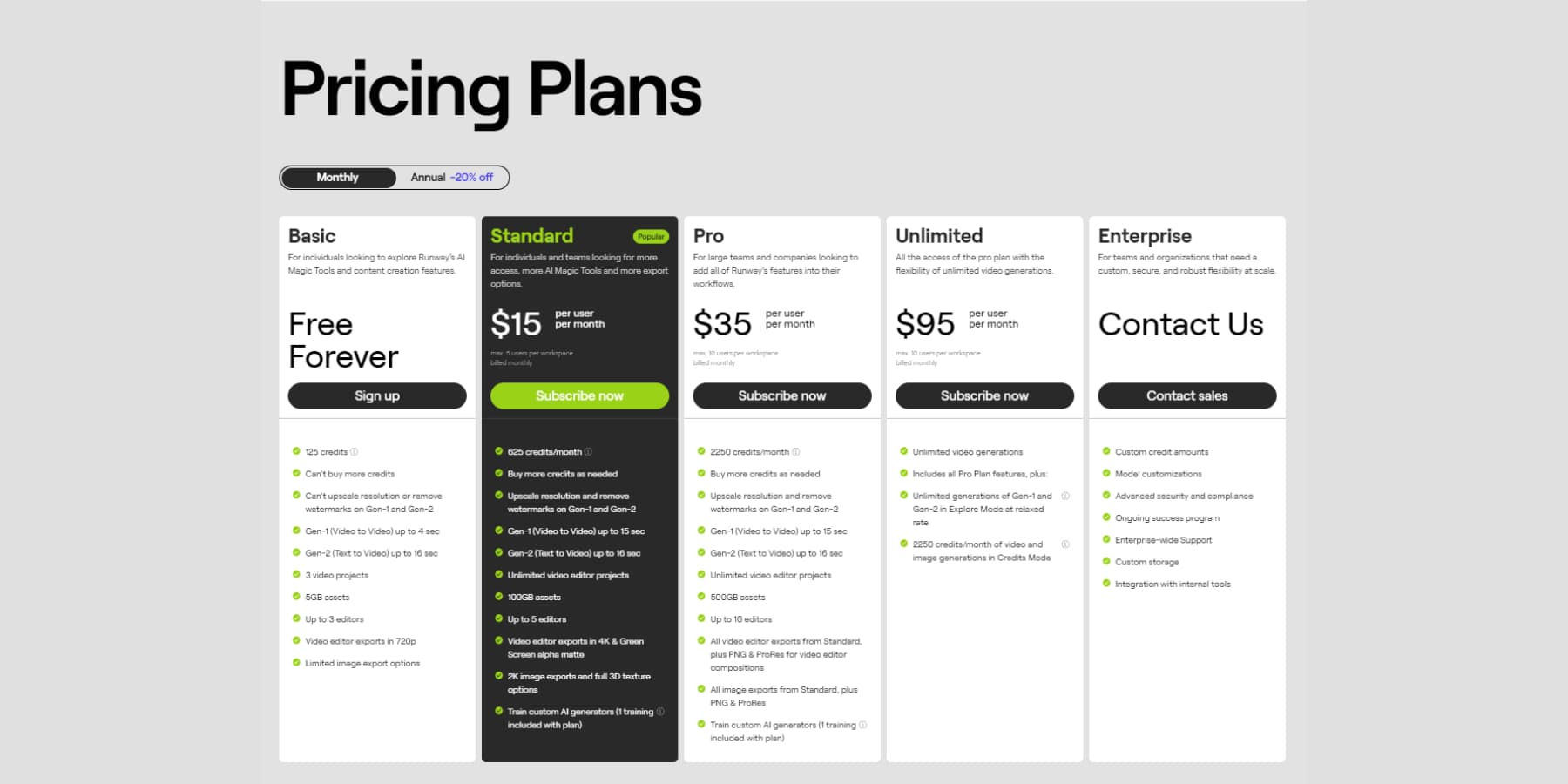
Free/Basic: Limited credits for testing, good for a few clips.
- Standard: $15/month, 625 credits (enough for ~50-100 seconds if lucky).
- Pro: $35/month, more credits, better access.
- Unlimited: $95/month, “relaxed” mode for endless gens (but slow, and usage caps lurk).
Credits don’t roll over, failures count, real cost per usable minute can hit $10+.
Who Actually Gets Value Here?
If you’re prototyping storyboards, making social teasers, or experimenting as a hobbyist, Runway’s a blast, fast ideas without production headaches. Filmmakers and marketers use it for concepts that’d cost thousands otherwise. But for polished, reliable output on a budget? Look at Kling or free trials elsewhere first.
My Take: 8.8/10, Powerful, But Pricey and Picky
Runway AI feels like the future sometimes, those “wow” moments when a prompt nails it are addictive. But in 2025, with faster/cheaper rivals catching up, it’s more a specialist tool than everyday essential. Start with the free tier, master prompting, and see if the hits outweigh the misses. For me? It sparked some fun projects, but I won’t renew unlimited anytime soon.
What’s your craziest AI video idea? Hit me, maybe Runway can (or can’t) make it real.
About the Author