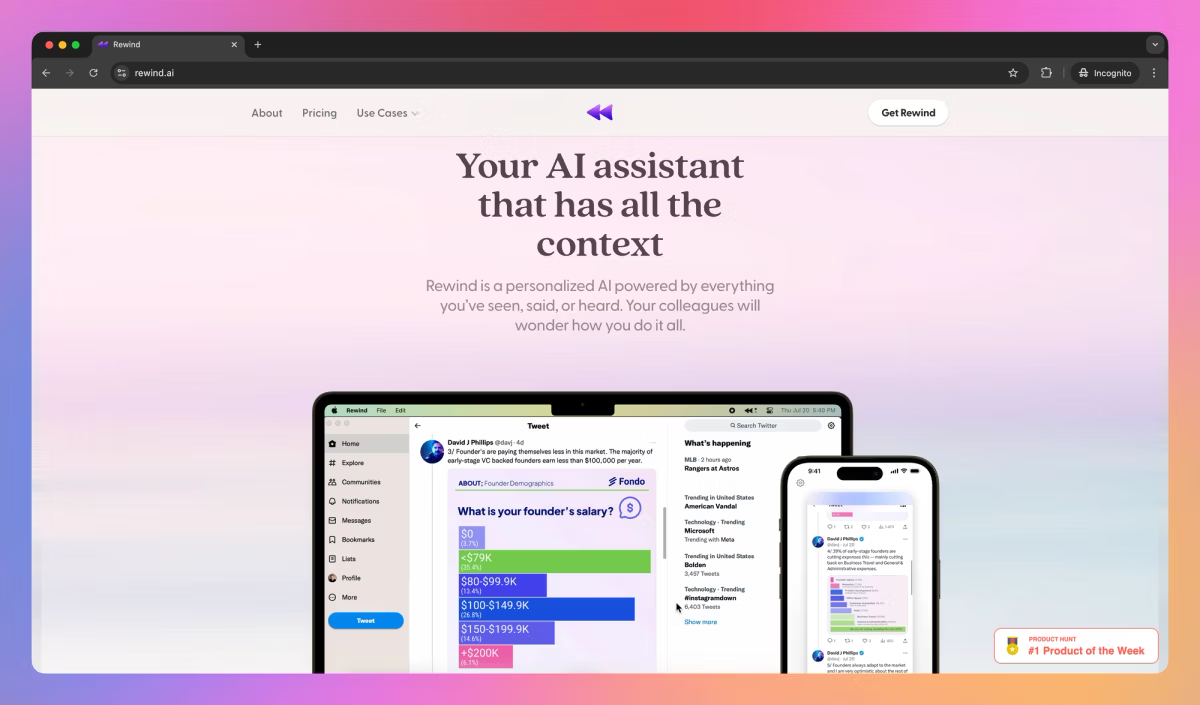
You know that sinking feeling when you’re midway through a client pitch, and your brain blanks on a detail from last week’s call? Or you spend 20 minutes hunting for a tab you swore you left open, only to realize it’s buried in browser history from three days ago? Last summer, that was my daily grind, freelance chaos turning into frantic tab-juggling, with deadlines whispering “you’re screwed.” Then I fired up Rewind AI, this sneaky Mac app that basically turns your computer into a time machine for your digital life. It records your screen, mic, and speakers (with your nod first), then lets you rewind, search, and chat with your past self like it’s no big deal. In my first week, I clawed back a solid hour just querying “what did Sarah say about the budget?” and boom, clip served up with transcript. If you’re a creator drowning in tabs, a salesperson piecing together deal notes, or anyone whose brain’s a leaky sieve, here’s the straight dope: Rewind isn’t perfect, but it’s a game-changer for offloading the “where’d that go?” tax. I’ll walk you through what clicked for me, the bumps, and if it’s worth your bandwidth.
Rewind kicked off around 2023 as a wild idea: What if AI could give you “perfect recall” without spying on your soul? Fast-forward to late 2025, and it’s evolved into Limitless (their rebrand for the full suite), but the core app’s still your privacy-first recorder, local storage only, no creepy cloud uploads. It hooks into Zoom, Meet, and Teams like a pro, capturing visuals, audio, and text in real-time. The AI layer (powered by GPT-4 vibes) kicks in to summarize, tag, and answer questions, turning raw footage into actionable nuggets. No more manual notes or “did I dream that stat?”, just ask, and it cites the exact moment. In tests from spots like Futurepedia, users hit 4.4/5 overall, praising the “memory augmentation” that boosts productivity without the Big Brother chill. I spun it up on my M1 Mac, setup’s a breeze, grant permissions, set exclusions (like that sensitive client folder), and let it hum in the background. Battery hit? About 10-15% extra on a full day, but worth it for the recall wins.
The real juice is in how it fades into your flow. Unlike clunky screen recorders that balloon your storage, Rewind’s smart compression keeps things lean, daily clips searchable via natural language, like “show me the invoice from Acme last Tuesday.” It auto-transcribes meetings with 90%+ accuracy (accents trip it occasionally), pulls out action items, and even suggests follow-ups. For global hustlers, multilingual support covers the basics, dubbing queries in your tongue. One G2 reviewer nailed it: “It’s like having a second brain that doesn’t forget the small stuff.” Pro tip: Pair it with your browser for tab resurrection, query “that article on SEO trends,” and it timelines your scrolls.
The Features That Feel Like Cheating (In the Best Way)
Here’s the toolkit that hooked me, straight from spins and user buzz, no fluff.
- Endless Screen & Audio Capture: Runs quietly, snapping text from apps, sites, and chats while transcribing spoken gold. Exclude what you want (banking tabs? Nope). In my trial, it resurfaced a buried Slack thread from a month back, complete with emoji reactions, priceless for context.
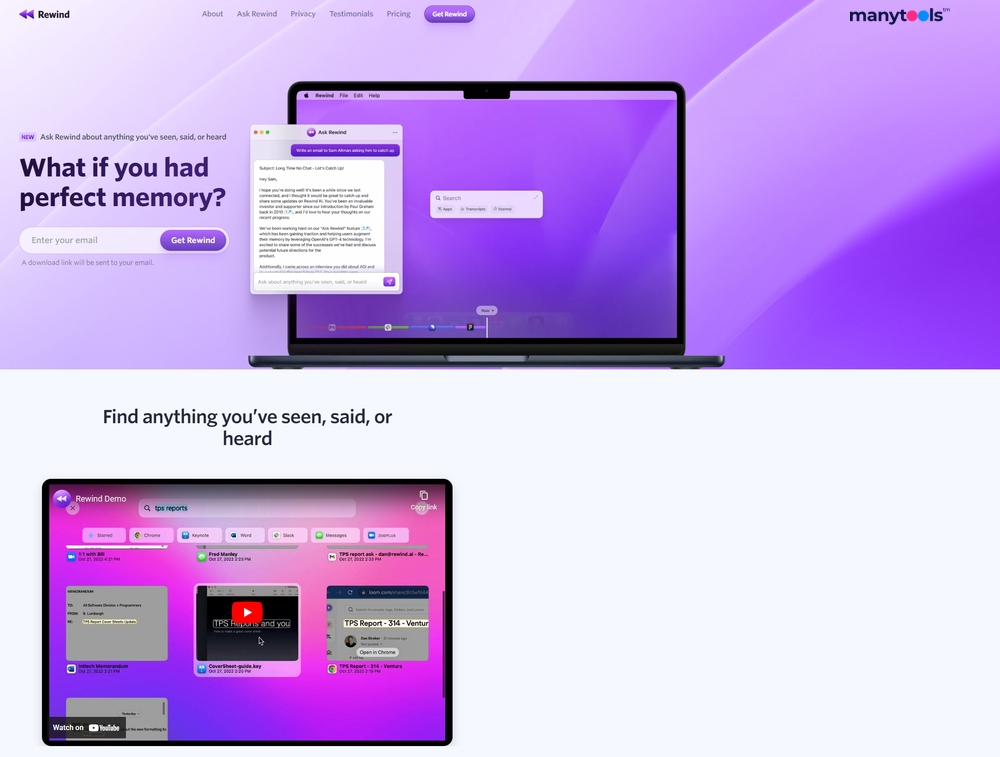
- Ask Rewind Chatbot: The $30 tier star, chat interface for queries like “summarize my Q3 calls” or “what was the competitor’s pricing?” It cites sources, generates emails, or brainstorms from your history. Futurepedia folks love the personalization: “Feels like it’s reading my mind, not my files.”
- Meeting Magic: Auto-joins (with permission), summarizes key points, tags speakers, and clips highlights. Integrates with calendars for post-call recaps, saved me from “wait, what were the deliverables?” emails.
- Search & Timeline Scrub: Visual timeline to rewind days like a DVR, or semantic search for fuzzy recalls. Exports? Basic copy-paste for now, but planned upgrades tease API hooks.
- Privacy Shields: All local, end-to-end encrypted, no data leaves your Mac. Opt-in for AI processing, and it’s SOC 2 compliant for the paranoid.
From The Neuron’s take, it’s “the most complete AI for offloading mental load,” though adaptation takes a week, your brain rebels at first, like learning to trust a GPS. On Product Hunt (as Limitless), 4.7/5 from 75 reviews gush over meeting summaries: “One-stop for transcripts and to-dos, I can’t live without it.”
The Unvarnished Truth: Wins, Warts, and Reality Checks
Rewind crushes for Apple loyalists, G2’s 4.5/5 from scattered 2025 reviews hail the productivity spike, with one small biz user saying it “cut my search time by 70%, letting me chase ideas instead.” Privacy’s a 5/5 slam dunk, local storage means no leaks, unlike cloud-heavy rivals. Setup’s idiot-proof, and the free tier’s no-tease, unlimited basics to hook you.
But oof, the rough edges bite. Mac-only (Windows beta’s “coming soon” since forever), so cross-platform dreams? Nah. Resource hog on older machines, fans spin like a jet on my 2020 model, per Medium gripes. Exports are clunky (manual per-day grabs), and Reddit’s brutal: A 2025 pre-order vet fumed, “Promised forever access for $100, got a sub model and basic app, might return it.” Accuracy dips on noisy audio or fast scrolls, and no mobile app means desktop tethering. Vs. Otter (meeting-focused, $10 start) or Mem (note-centric, broader integrations), Rewind’s niche but intense, great for visual recall, meh for collab.
Support’s email-only, responses laggy, and the rebrand to Limitless confused early adopters. Ethical nudge: Constant recording? Set strict exclusions to dodge accidental captures.
Pricing: Simple, But Watch the Upsell
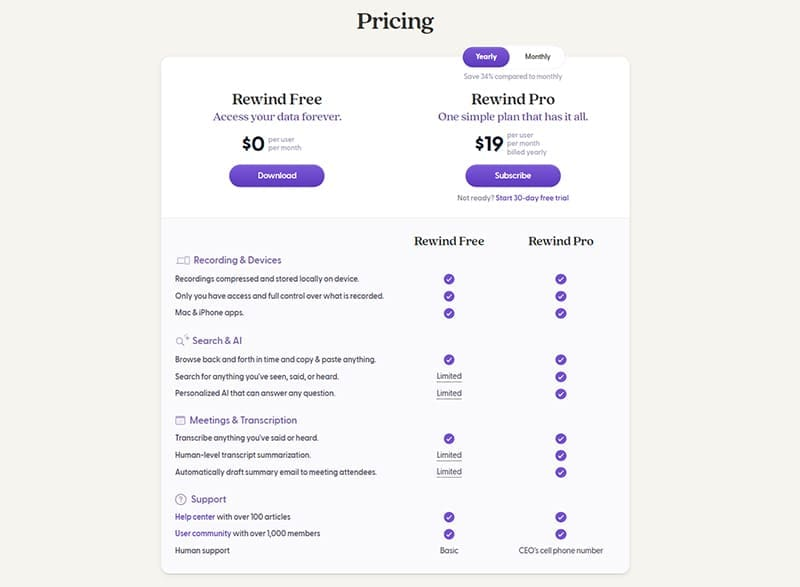 Free: Unlimited recording/search, basic summaries, test the waters sans card.
- Pro: $19/month, Adds advanced AI queries, unlimited exports.
- Premium: $29-30/month, Full chatbot, custom integrations, priority support.
Annual discounts shave 20%, free trial’s watermark-free. ROI? One reclaimed hour pays it, teams scale via seats.
Who’s This For? (And Who’s Out)
Snag it if you’re a Mac-based freelancer recapturing lost gems, a researcher timeline-scrubbing notes, or a remote worker battling meeting amnesia, especially with 5+ hours screen time daily. Skip if you’re Windows-bound, privacy-phobic beyond local, or need instant cross-device sync (try Reflector instead).
Final Verdict: 9.2/10, Your Digital Time Machine, Mac-Style
Rewind won’t rewrite history, but it’ll make forgetting a choice, not a curse, local, smart, and slyly addictive once you lean in. In 2025’s AI sprawl, it’s a focused gem for solo warriors, docking points for platform lock-in and polish gaps. Grab the freebie, record a chaotic day, query something fuzzy, and feel the shift. Worst? A spinny fan. Best? That “eureka” from a forgotten file, turning “lost” into “legend.”
What’s your biggest digital forget-me-not? Drop it, Rewind might rewind it.
About the Author