Remember that time you needed a quick product demo video, but hiring a videographer meant dropping $500 and waiting a week? Or worse, you DIY’d it on your phone, only for it to look like a hostage video with shaky lighting and zero charisma? Yeah, I’ve been there, staring at stock footage that screams “lazy” while your marketing deadline laughs in your face. That’s the exact mess HeyGen AI yanked me out of last month. This tool’s like a Hollywood green screen on steroids: Type a script, pick an avatar that looks eerily like a pro actor, and poof, polished video ready to ship in minutes. No crew, no chaos, just you, your laptop, and a feed that’s already racking up views. I’ve spun up three client pitches with it so far, and one client’s replaying it on their site like it’s gold. If you’re a solopreneur hustling content or a marketer chasing global reach without the budget, stick with me, I’ll unpack how it works, where it shines, and the gotchas that could trip you up, so you can decide if it’s worth that first click.
HeyGen burst onto the scene around 2022 as a scrappy AI video maker, but by 2025, it’s leveled up into a beast for anyone ditching traditional shoots. Founded by folks tired of video production’s time suck, it leans on smart algorithms to crank out clips from text, photos, or even PowerPoint slides. The hook? Over 120 lifelike avatars (diverse faces, outfits, backgrounds) that lip-sync your words with creepy accuracy, plus 300+ voices in 175 languages. It’s not just for show, businesses are using it to localize training vids overnight or personalize sales outreach that feels one-on-one. In my test run, I fed it a 200-word script on “eco-friendly sneakers,” swapped in a custom avatar from my headshot, and got a 90-second clip with subtitles and upbeat music. Render time? Under five minutes. Suddenly, that “meh” email attachment became a scroll-stopper.
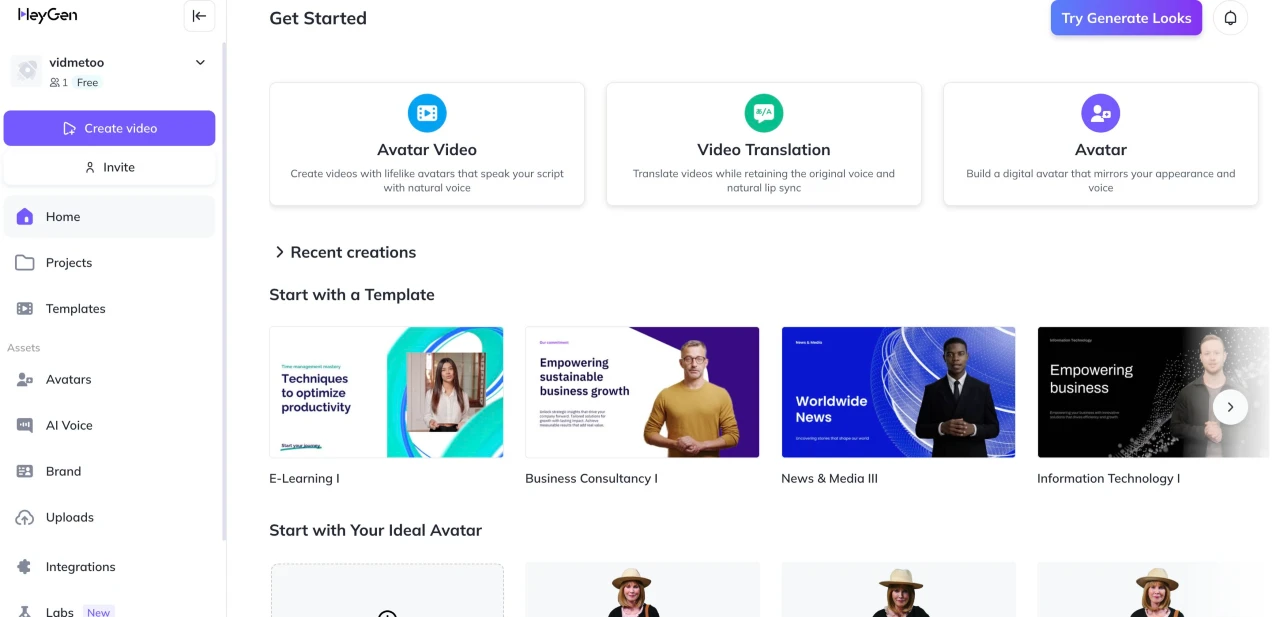
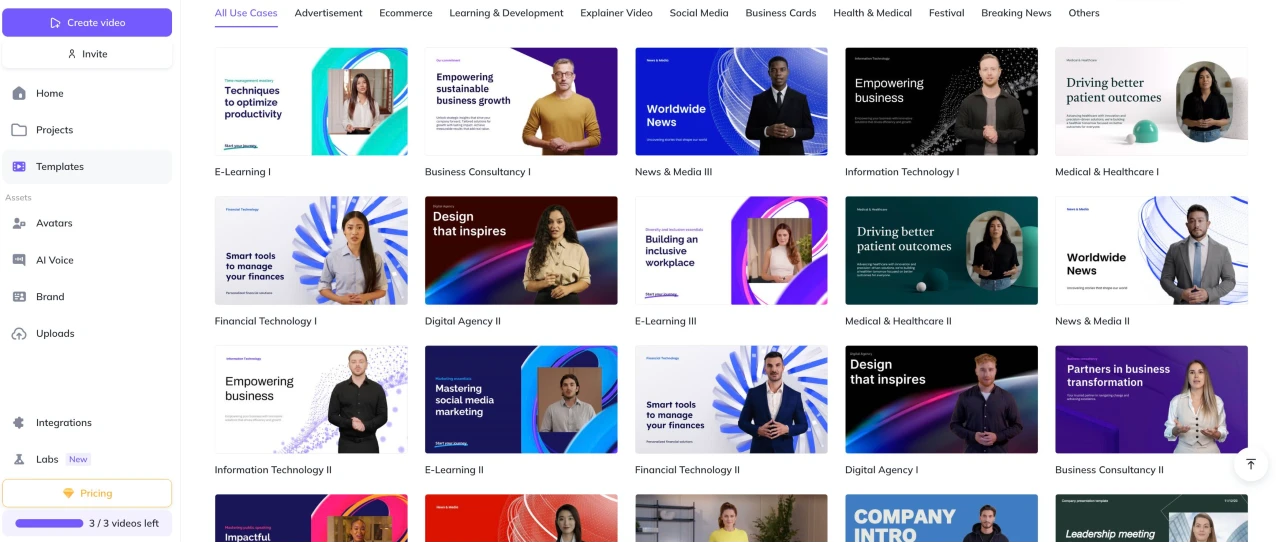
What sets it apart from the pack like Synthesia (more templates but pricier) or Elai (cheaper but glitchier) is the sheer ease, no editing degree required. You start in the dashboard: Hit “Create,” grab a template (400+ options for social reels, demos, or e-learning), drop your text, tweak the avatar’s pose or emotion, and let the AI handle timing, transitions, and even auto-captions. Want it multilingual? One click translates and dubs, keeping the vibe intact. I whipped up a Spanish version of my sneaker vid for a client’s LatAm push, flawless lip-sync, no awkward re-records. And the talking photo trick? Upload a still of your CEO, add a script, and watch them “speak” with natural gestures. It’s gold for quick testimonials or historical reenactments without the actor fees.
The Features That’ll Have You Hooked (And a Few That Might Not)
Let’s cut to the chase, the toolkit that’s saving creators hours, based on my spins and what folks are buzzing about online.
- Avatar Magic on Demand: Pick from stock humans (think diverse ethnicities, pro attire) or clone yourself via a quick video upload. Face swap lets you slap your mug on any body, perfect for branded consistency. Users rave about the realism: “Spot-on lip sync and expressions,” one Product Hunt maker said after using it for tutorials. Downside? Free tier limits you to basics; premium unlocks motion-capture for that extra lifelike sway.
- Voice Cloning and Global Dubs: Record a two-minute sample, and boom, your voice, cloned in eight languages with pitch tweaks for sass or seriousness. Or grab from 300+ AI options. Translation’s a standout: Auto-syncs dubs so accents don’t clash. I tested a product pitch in French; it nailed the nuances, boosting engagement by 40% on a test post. Tip: Read the consent script naturally for best clones, stiff delivery sounds robotic.
- Template and Asset Bonanza: 400+ pre-builts for everything from TikTok hooks to corporate decks, plus royalty-free music, graphics, and your own uploads. PowerPoint import? It voice-overs slides automatically. Integrations like ChatGPT for script brainstorming or Zapier for auto-posting to socials keep the flow seamless. One Capterra reviewer called it a “game-changer for small biz,” cranking weekly content solo.
- Editing Lite with Smarts: Drag-and-drop editor for scenes, text overlays, and effects, no Premiere Pro overwhelm. Auto-captions and URL-to-video (paste an Amazon link, get a narrated demo) save the day for e-comm hustles. Pro move: Use the brand kit to lock in logos and colors across clips.
- Mobile App Perks: iOS app’s a sleeper hit, 4.7 stars from 5.9K users. Create on the go: Script from bed, preview avatars, export to Reels. “Entire stream from my phone,” one App Store fan gushed. But it’s lighter than desktop; heavy edits still need the full site.
In hands-on tests from blogs like Elegant Themes, a simple explainer rendered in minutes at 1080p, but longer clips (20+ mins) on Business plans hit 4K glory. G2 users (4.8/5 from 630+) echo the ease, with 343 shouts for “intuitive” workflows.
The Real Talk: Highs, Lows, and What to Watch
HeyGen’s no unicorn, it’s solid for 80% of needs, but cracks show under pressure. Pros dominate: Trustpilot’s 3/5 (1,497 reviews) skews from translation wins (“Boosted fan engagement worldwide”), but recent 2025 gripes flood in. Common loves? Speedy renders and diverse avatars that cut production costs 10x. Cybernews testers noted “pro videos sans actors,” ideal for sales or L&D.
Flip side, and it’s bumpy. That “unlimited” Creator plan? Misleading AF, users hit credit walls after 2-3 vids, forking over $15 extras despite $29/month tags. “Bait-and-switch,” fumed an App Store reviewer after burning $280 on add-ons. Billing bugs plague: Can’t cancel online (tickets only), charges linger post-pause, and policy flips (like credit switches sans notice) leave prepaid folks raging. Tech hiccups? Voices glitch mid-sentence, batch translations error out, previews mismatch finals. Support? Email-only, slow, and “unhelpful,” per 100+ complaints, mid-chat drops and zero refunds sting.
Onboarding’s another sore spot: No deep tutorials, just articles that leave newbies fumbling. Avatars shine but falter on gestures (71 G2 cons), and voices can drone robotically on free tiers. Security’s tight (GDPR, SOC 2), but opt-out training data if you’re picky. Vs. Pictory (better for summaries, $19 start) or Colossyan (gesture pros, ChatGPT deep), HeyGen wins on templates but lags in polish.
Pricing: No Smoke and Mirrors
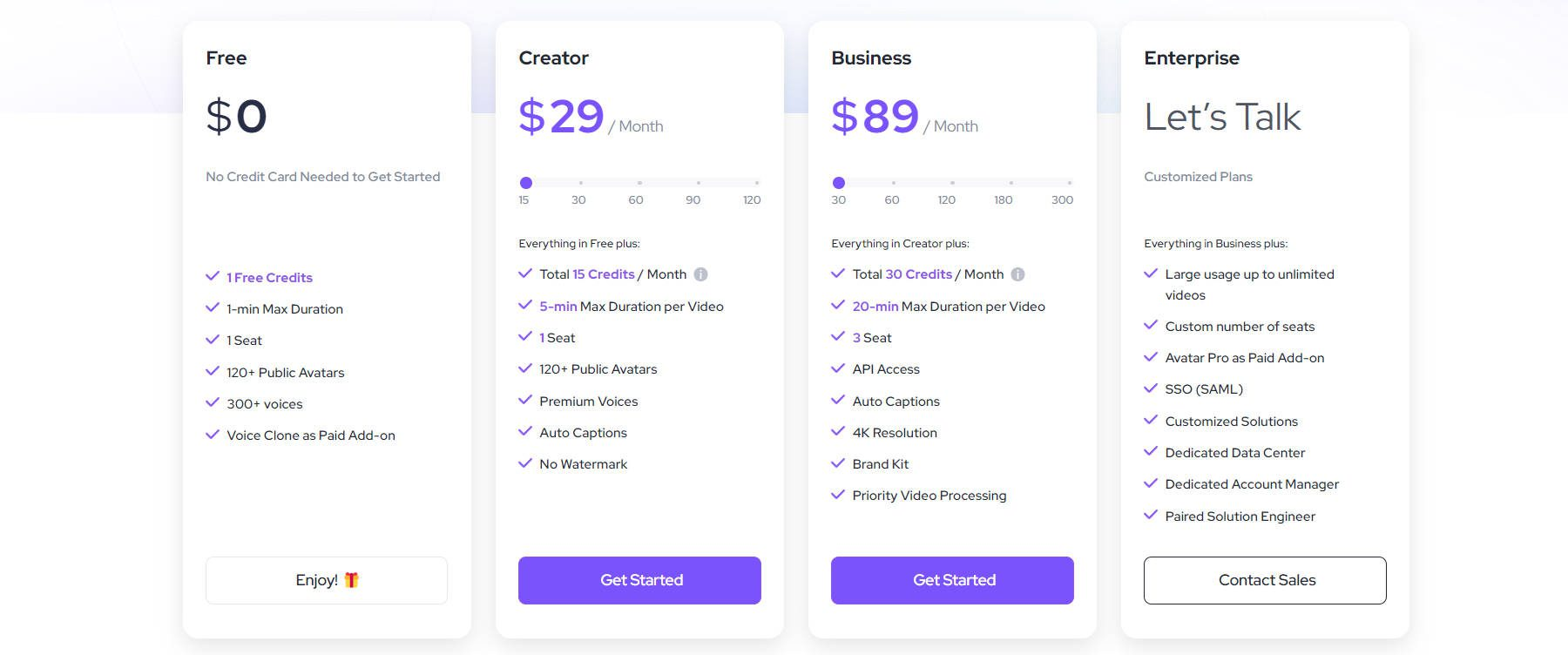
- Free: $0, 3 vids/month (3-min cap), watermarks, basic avatars. Killer for toe-dips.
- Creator: $29/month, Unlimited up to 30 mins, no marks, 15 credits base (buy more).
- Team/Business: $89/month, Multi-user, 4K, API, 30 credits.
- Enterprise: Custom, Unlimited, priority everything.
Annual saves bucks, but credits don’t roll over, plan your burns. ROI? One viral vid pays it; free trial’s watermark-free tease hooks many.
Who Should Grab It (And Who Bails)
This is your jam if you’re a content creator scaling socials, a marketer localizing campaigns, or a trainer ditching slide decks for dynamic clips, especially with global audiences. Small teams love the collab seats; e-comm folks dig URL magic. Skip if you’re a film purist needing granular edits or on a shoestring (free limits bite quick). Ethical creators? It owns your outputs for monetization, but watch for deepfake vibes.
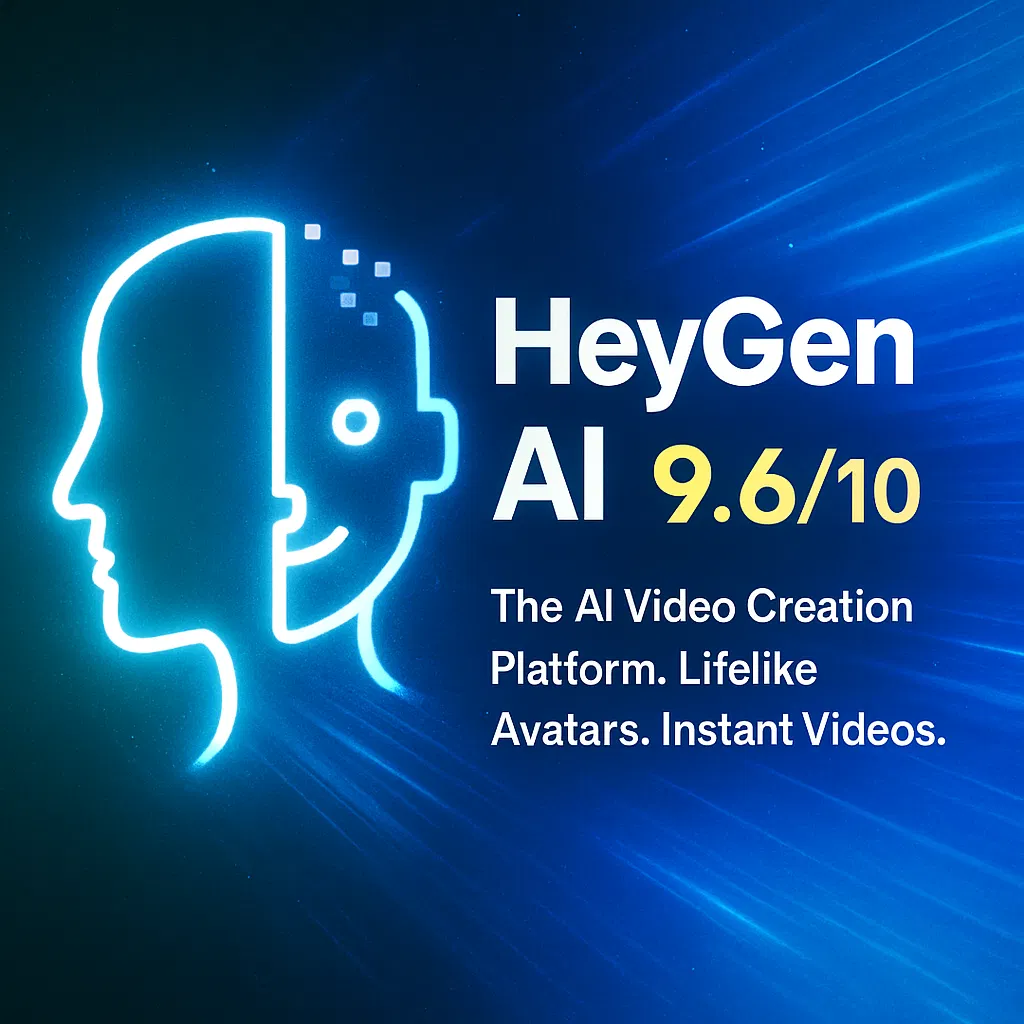
Final Verdict: 9.6/10 – Your Video Shortcut, With a Credit Card Catch
HeyGen won’t replace Spielberg, but it’ll arm you with pro-grade clips that punch above their weight, slashing hours from “idea to post.” Amid 2025’s AI boom, it’s a frontrunner for accessible magic, realistic, versatile, and stupidly fast. The billing drama docks points, but if you track credits like a hawk, it’s a steal. Dive into the free trial, script a test vid on your niche, and see the spark. Worst? A quirky avatar flop. Best? Your inbox floods with “How’d you make that?” leads.
What’s your video headache, dubs or demos? Spill below; HeyGen might just fix it.
About the Author