Ever stared at a blank slide, coffee going cold, knowing your big client pitch is tanking because your visuals look like they were whipped up by a caffeinated intern? Yeah, me too. For years as a solo marketer juggling 15 decks a month, I was chained to PowerPoint’s endless tweak-fest; aligning boxes, fighting fonts, and praying the export didn’t glitch. Then, three months ago, I fired up Beautiful.ai on a whim during a free trial, and it was like handing the keys to a design ninja who actually listens.
In one afternoon, I built a 20-slide investor deck on sustainable packaging trends that landed me a $20k gig. No exaggeration; the AI spat out a polished draft in under two minutes, and with a few nudges, it was ready to wow. If you’re drowning in presentation purgatory, stick around: I’ll break down what it nails, where it stumbles, and if it’s worth ditching your old tools for good. Spoiler: For most hustlers like us, it is.
The No-Sweat Setup: How It Actually Plays Out
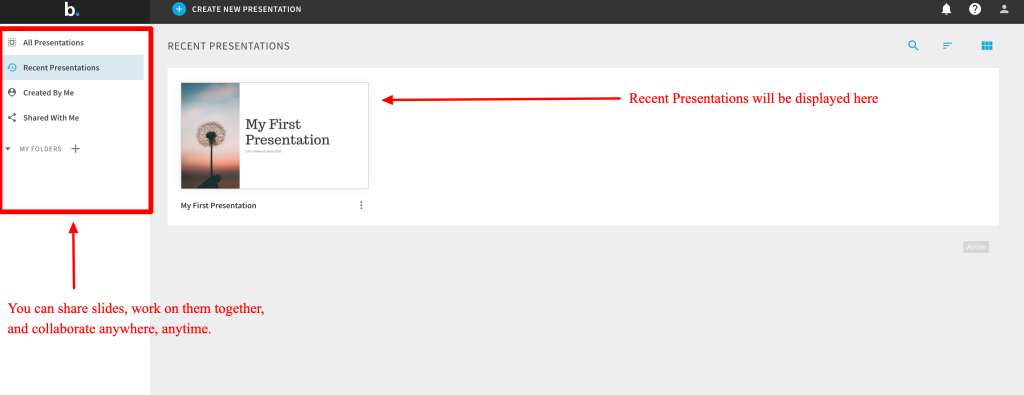
Jump in, and it’s refreshingly straightforward, no steep learning cliff like some AI tools. Start with a prompt to DesignerBot: “Craft a 10-slide sales pitch for eco-friendly coffee pods targeting busy parents.” Hit enter, and poof; 60 seconds later, you’ve got a full outline with Smart Slides that auto-format everything. Add a stat? The layout reshuffles like it’s got eyes. Toss in a chart from your Google Sheet? It embeds live, updating on the fly during your demo.
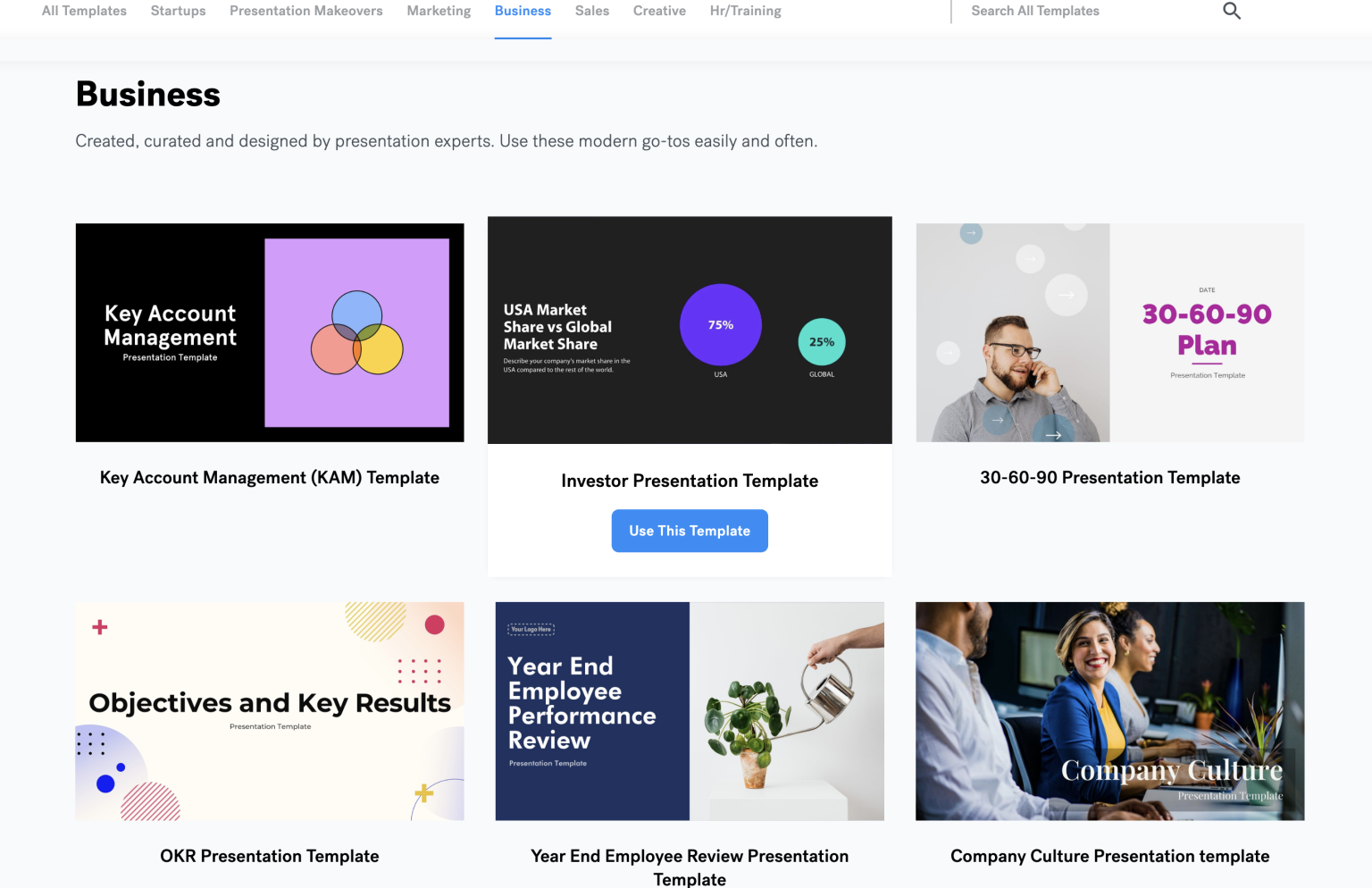
The real juice is in those Smart Templates, pre-built for pitches, QBRs, marketing roadmaps, even HR onboarding. They’re not cookie-cutter; drop your brand kit (logo, colors, fonts) once, and every deck stays on-point without you babysitting. Collaboration? Invite your team; they edit live, comment like Google Docs, and you can lock slides so the finance guy doesn’t mess with your killer visuals.
2025’s updates cranked it up: Better AI writing for punchy bullets or summaries, on-demand image gen for custom icons (no more scrounging stock sites), and seamless pulls from Slack or Salesforce. Exports to PPT or PDF are buttery so that you can share with luddite clients hassle-free. I tested it on a remote brainstorm last week. My VA tweaked the slides while I was presenting in NYC. Zero lag, total sync.
What’ll Make You a Fan (The Straight Wins)
Look, I’ve burned through Canva, Gamma, and even raw PowerPoint hacks. Beautiful.ai edges them by feeling like a smart sidekick, not a replacement. Here’s the gold:
- Speed that steals your breath — From zero to pro deck in 45 minutes flat. Samantha Brandon nailed it in her review: She built a full AI-in-business pitch in an hour, crediting the auto-formatting for the “wow” factor. I shaved two days off a quarterly report last month.
- Design smarts for design dummies — Non-designers (guilty) finally shine. The AI handles spacing, animations, and even suggests transitions. AllAboutAI gave it 4.1/5 for that effortless polish; users rave about templates that “just work” for sales or lectures.
- Team vibes on steroids — Real-time edits kill email chains. GeniusFirms (3.8/5) loves the shared libraries for brand consistency; my crew now reuses modules without starting from scratch.
- Data that dances — Embed live charts from Monday.com or Excel; they update mid-pitch. Add multimedia like videos or icons, and it all flows. Stock assets are solid, though I wish for more niche options.
- AI extras that punch above — Writing assistant refines your ramble into crisp copy; image gen creates on-brand graphics. Product Hunt users (avg 3.3/5) call it a “PowerPoint killer” for solopreneurs.
Across 189 Trustpilot reviews (2.9/5 overall), the positives cluster around “intuitive and quick”—folks love ditching design drudgery to focus on storytelling.
Figure: Designing from templates
The Bumps in the Road (Real Talk, No Sugar)
It’s not utopia. TechRadar’s older take flagged flexibility issues, and yeah, that lingers. Smart Slides are genius… until you crave chaos. Want to flip a layout upside down? Switch to Classic mode for full control, but heads up—you can’t flip back. Samantha hit glitches with the AI Bot on first tries (it needed prompt tweaks), and stock images feel “decent but limited.”
Bigger red flags? Billing blues. Trustpilot’s low score stems from sneaky charges post-trial and refund waits that drag weeks; half the 1-stars scream “got billed after canceling!” Product Hunt echoes the service gripes: Slow responses (email-only, 24-48 hours) and clunky cancellations. I set a phone alarm for Day 13 of my trial; don’t be me forgetting.
Mobile’s iffy for heavy edits, and complex decks (think 50+ slides with funky data) can lag. Limited languages (just a few Asian fonts) might snag global teams. If you’re a customization fiend, it’ll frustrate; stick to Canva for pixel wars.
Pricing: No Gotchas, But Time It Right
Straightforward stack:
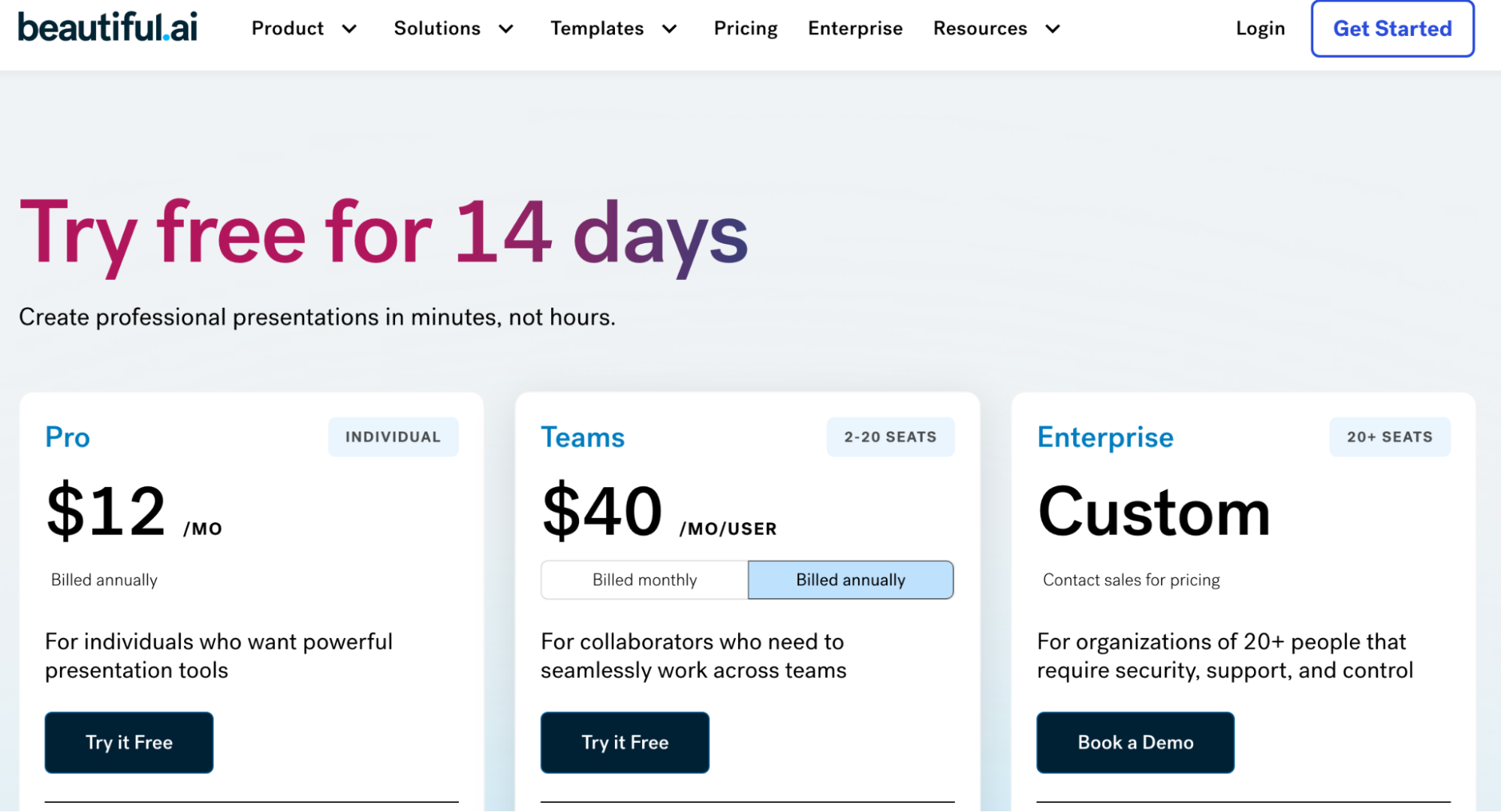
– Pro: $12/mo (annual, $144/year) — Unlimited AI, templates, exports. Solo gold.
– Team: $40/user/mo annual ($50 monthly) — Collab, shared assets, analytics.
– Enterprise: Custom (~$500+/mo) — SSO, unlimited users, priority support.
– Single: $45 one-off for a deck.
14-day trial is unlimited and card-free; build a real project to test. As of late November 2025, they’re hinting at holiday discounts (20% off annuals), so peek before December hits.
Who Gets the Most Bang (And Who Bails)
This shines for:
– Freelancers/marketers cranking weekly pitches (time = money here).
– Remote teams syncing on sales decks or reports.
– Sales pros needing quick, engaging visuals to close.
– Non-design bosses ditching VA fees.
Bypass if you’re on a forever-free hunt (no such tier) or live for bespoke art; Gamma or Tome might flex more.
AI Tech Ratings Final Verdict: 9.1/10
Beautiful.ai is an essential tool for any white-collar professional who needs to create high-stakes, visually stunning presentations quickly and consistently.
It’s the ultimate time-saver for executives, consultants, and marketers. The AI doesn’t just assist; it actively designs, ensuring a professional outcome every time. If you can accept the trade-off of limited creative freedom for guaranteed perfect design, this tool is a must-have.
Wrapping It: Your Deck Game’s About to Level Up
Beautiful.ai isn’t flashy like some 2025 AI darlings, but it’s the quiet powerhouse that delivers: Pro decks without the pain, freeing you to crush narratives instead of formats. My ROI? Two clients and saner weekends already. The 4-ish averages on G2/AllAboutAI back it; solid for real work.
Grab that trial today: Prompt a deck on your next big idea. If it clicks like mine did, you’ll wonder why you ever tolerated the old grind.
Try Beautiful.ai: https://www.beautiful.ai/
About the Author